Resolving Service Error “This Procedure Needs a Signed Note before Completing Service”.
This error appears when a procedure is configured to require a signed progress note before a service can be completed. Programs that do not require signed notes must have the appropriate override setting enabled to prevent this error from generating. To correct this error, follow the steps below:
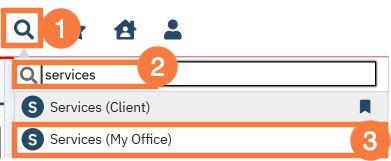
Click the Search icon.
Type “Services” in the search bar.
Select Services (My Office) from the search results.
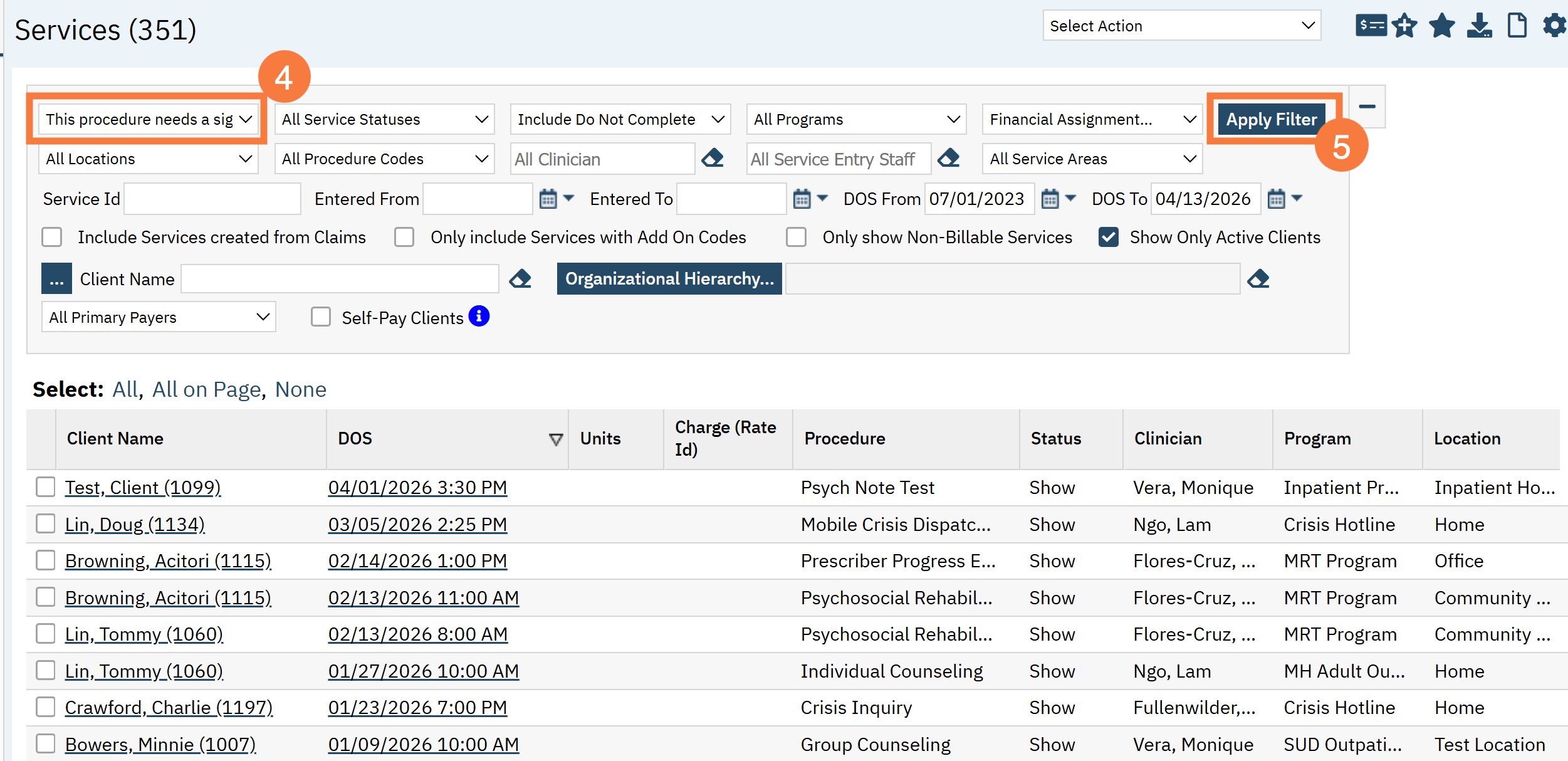
This will open the Services (My Office) list page. Click the All Services filter down-down menu and select “This procedure needs a signed progress note before completing the service”.
Apply any other appropriate filters and click Apply Filter.
Then you can notify the clinician that they can navigate to My Documents (My Office) to locate the corresponding document awaiting signature for completion.