This list page is where you can see all order sets for your organization in one place. The information you see displayed is currently available in order sets. This page is used mostly used by sys admins.
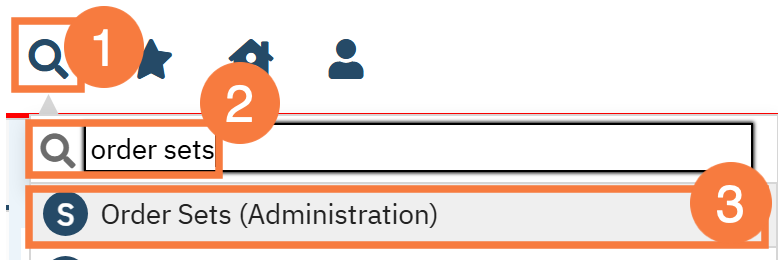
Click on the Search icon.
Type “Order Sets” in the search bar.
Select “Order Sets (Administration)” from the search results.
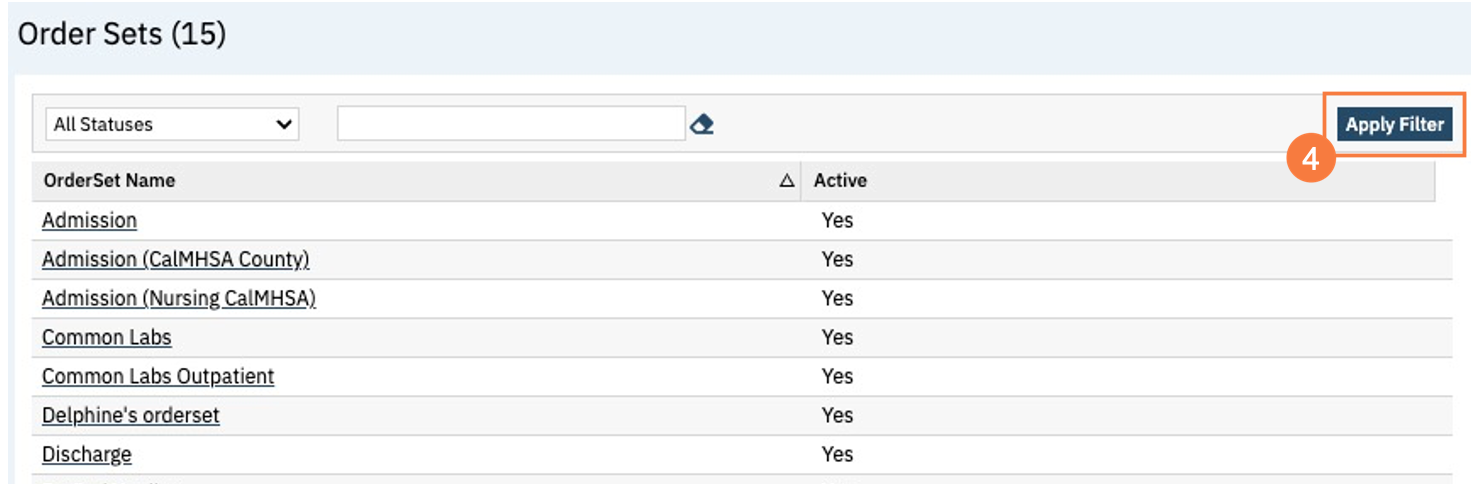
This will bring up the Order Sets (Administration) list page. If need you can use filters to narrow down the data displayed below and click Apply Filter.
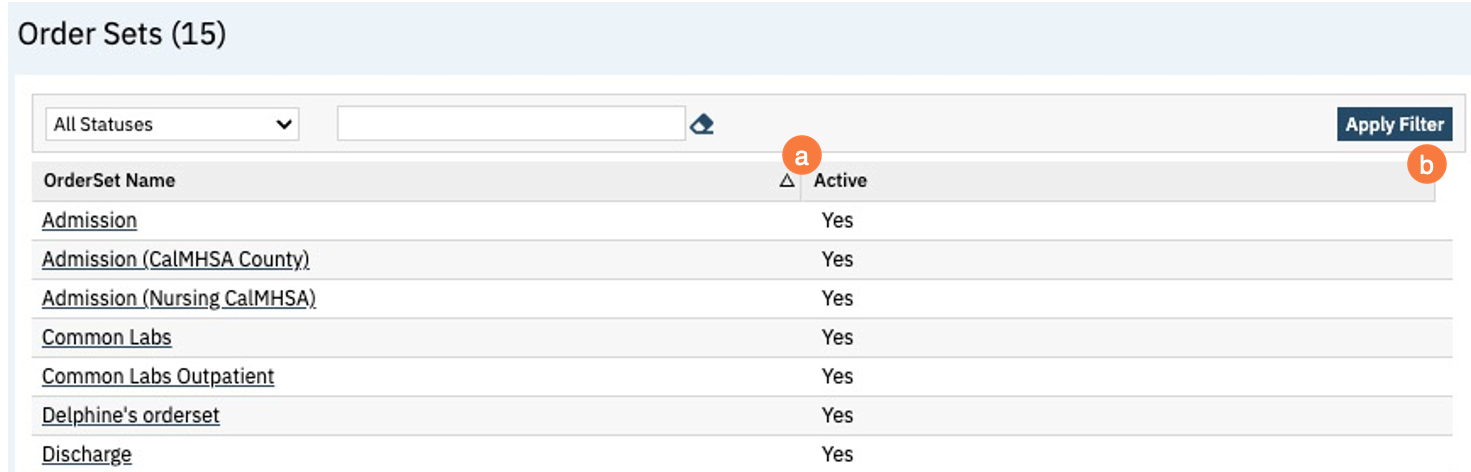
Filters
Statuses: This dropdown allows you to select either all statuses, active, or inactive.
Free Text field: This is a free text field where you can search for an order set.
Columns
Order Set Name: This column is a hyperlink that will take you into the order set details screen. In the order set details screen, you will be able to edit order set information.
Active: This column will show you if the order set is active or inactive.
Upper Right Icons
New Favorites Icon: Clicking on the “new favorites” icon will allow you to add this screen to your favorites for quick access.
Fill out the favorite filter name, this can be whatever is easy for you to remember. When you click OK, you will see this screen under the start icon next to your search bar. Edit this by clicking on the new favorites icon.
Favorites Icon: If you have this listed as your favorite already, when you hover over this icon, it will tell you the favorite name.
Export Icon: This icon is available to admins. You will be able to export the data from this screen into an excel spreadsheet.
New Icon: This icon will allow you to create a new order set.
Settings
Walk-Me
The question button in the lower right corner will redirect you to the 2023.calmhsa.org website.