Use this abbreviated workflow if you have already authenticated your identity with Dr. First with another organization.
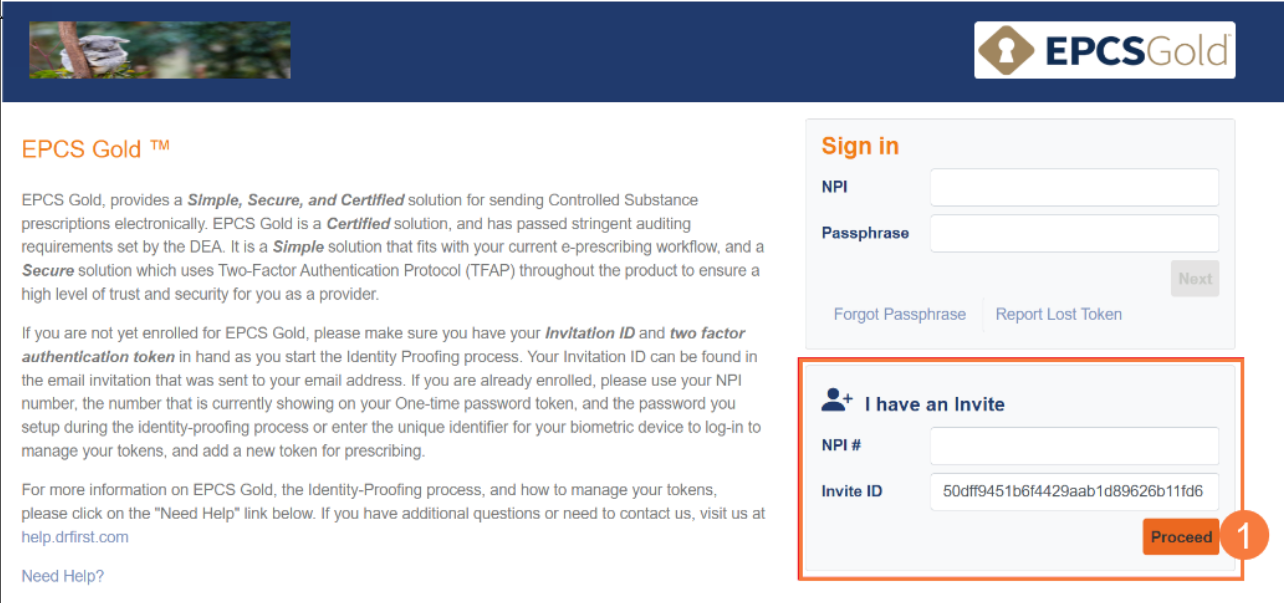
- Click on the email link (Enroll now) to auto-populate information on the screen that appears. Then, select Proceed.
Note: Read and accept the terms of use for EPCS Gold by selecting all checkboxes. Otherwise, you will not be allowed to proceed.
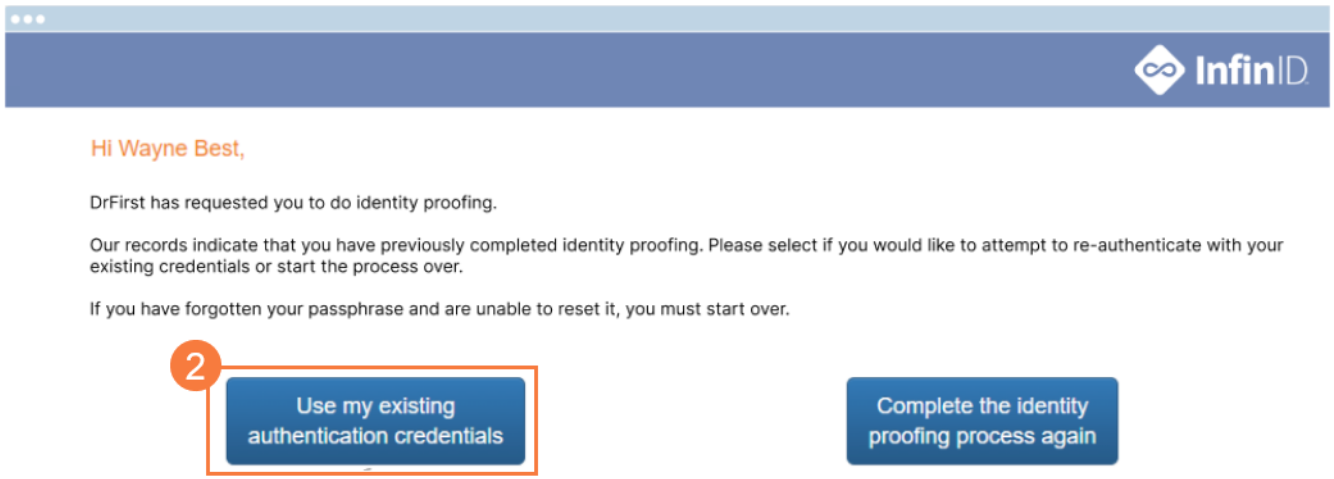
- Click the “Use my existing authentication credentials” button.
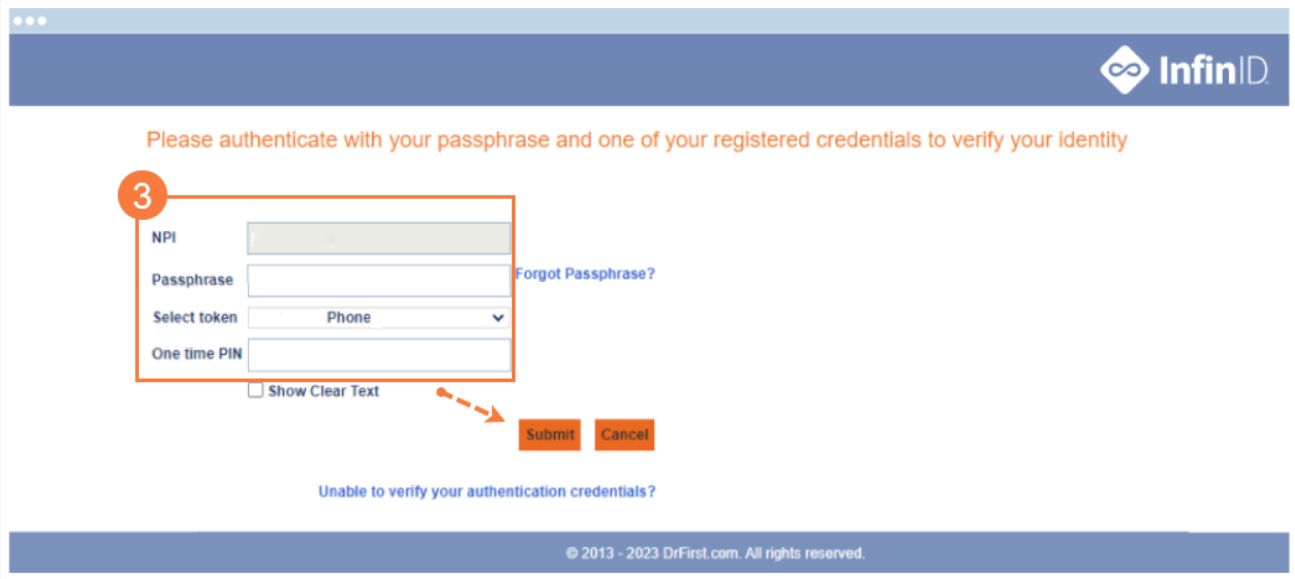
- Enter the requested information, for example:
- NPI number
- Passphrase (password to e-prescribe controlled substances)
- Token (authenticator to e-prescribe controlled substances)
- One-time pin (OTP) from the token you selected
When you are done, you will see a confirmation message.