
CalMHSA strongly recommends that counties utilize the ISL procedure codes created by CalMHSA instead of custom codes.
If a county needs to keep a custom code, the following instructions explain how to create a Procedure Rate to link the custom code to the ISL equivalent.
Before you begin: Have a list of the custom codes that need to be mapped to their ISL counterpart available. This information will be needed to complete the remaining steps.
Mapping Custom Codes to the DHCS-Defined ISL Code Set
DHCS’s website provides a library of the DHCS-defined ISL codes that can be used to link the custom codes to the ISL equivalent.
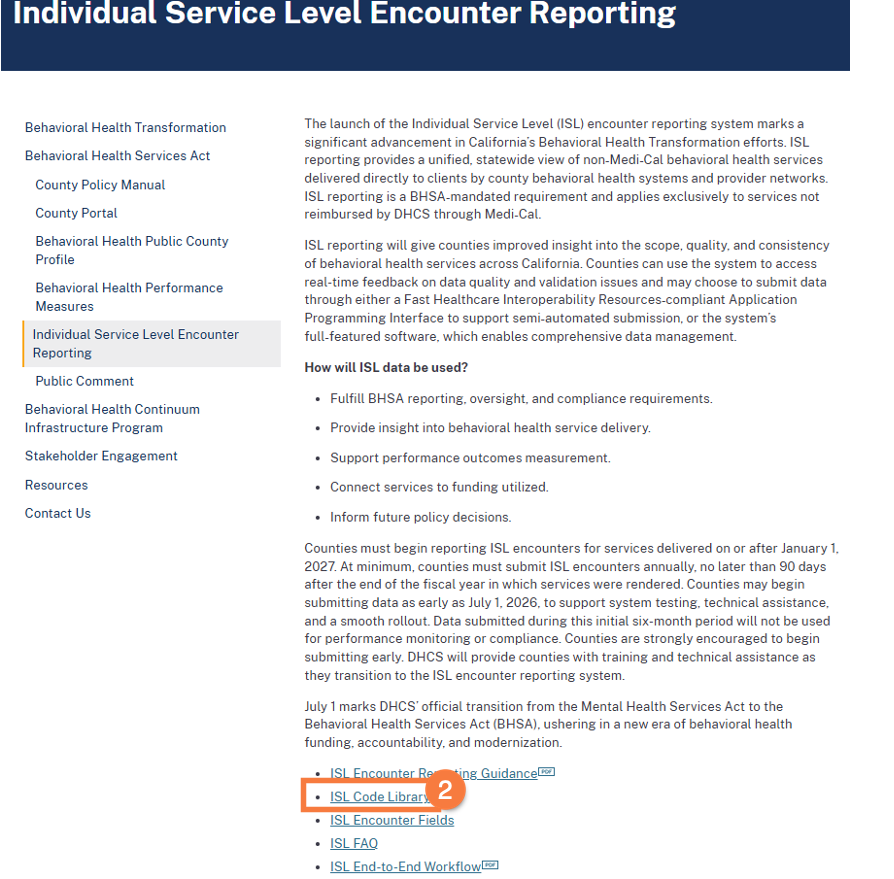
- Navigate to DHCS’s webpage for ISL: Individual Service Level Encounter Reporting | DHCS
- Click the ISL Code Library link to open the spreadsheet of ISL codes.
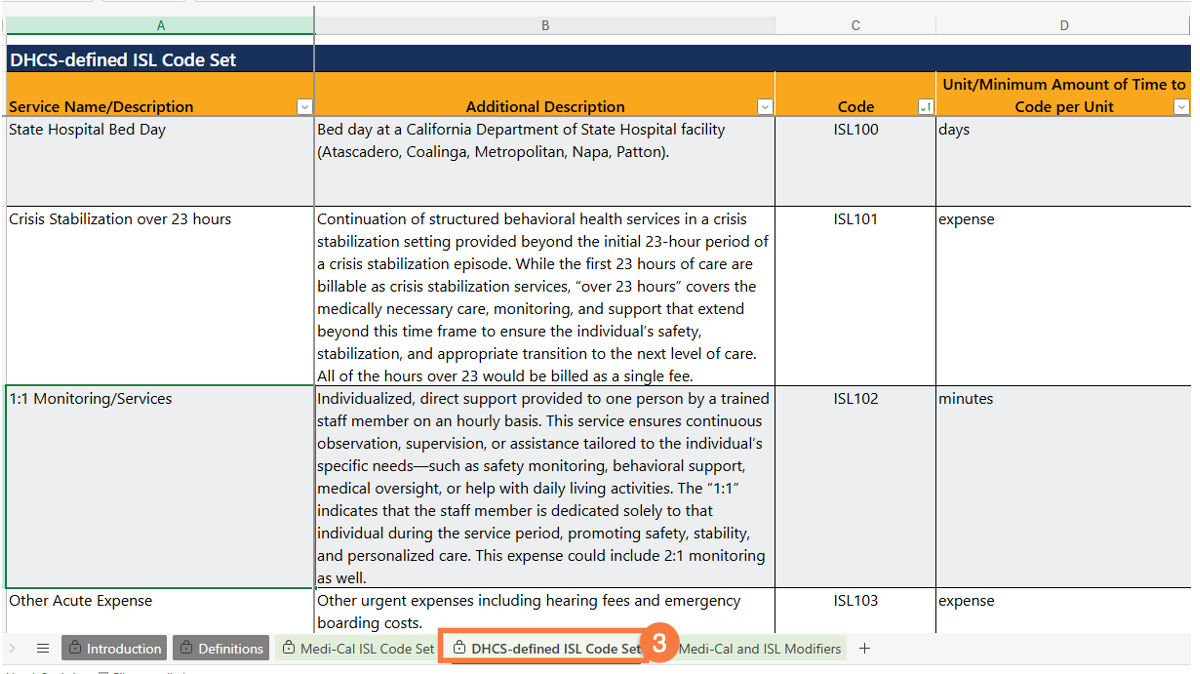
- In the ISL Code Library, click the DHCS-defined ISL Code Set tab.
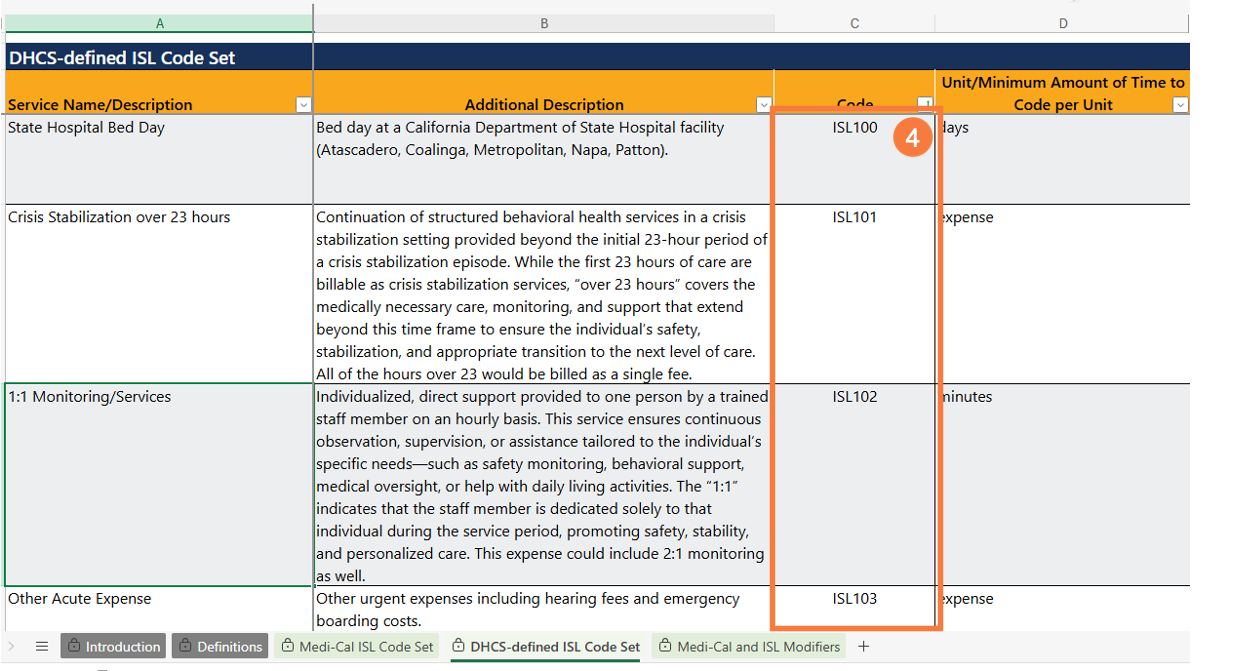
- Review the DHCS-defined ISL Code Set and find the ISL code that most closely aligns to how the custom code is being used. Write down the code, which starts with ‘ISL’. You will enter this code when you create the Procedure Rate in SmartCare.
- Note: If a matching ISL code cannot be found in DHCS’s library, please submit an ISL ticket for additional guidance: https://www.calmhsa.org/isl-ticket/.
- Repeat the steps listed above for all custom codes which need to be linked to an ISL Code.
How to Create an ISL Procedure Rate Record in SmartCare
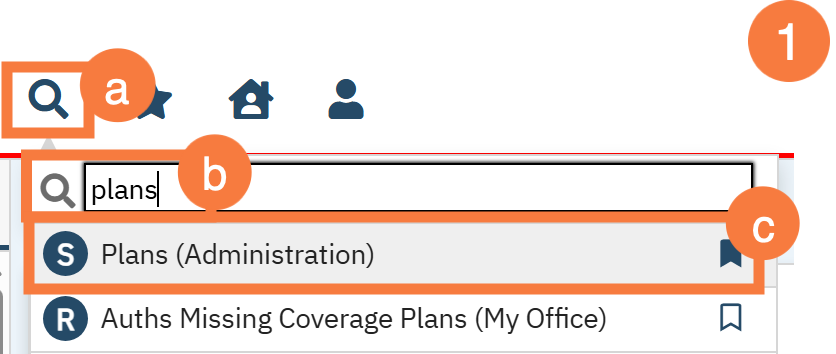
- Navigate to the Plans (Administration) screen.
- Click the Search icon.
- Type Plans into the Search Bar.
- Click to select Plans (Administration) from the search results.
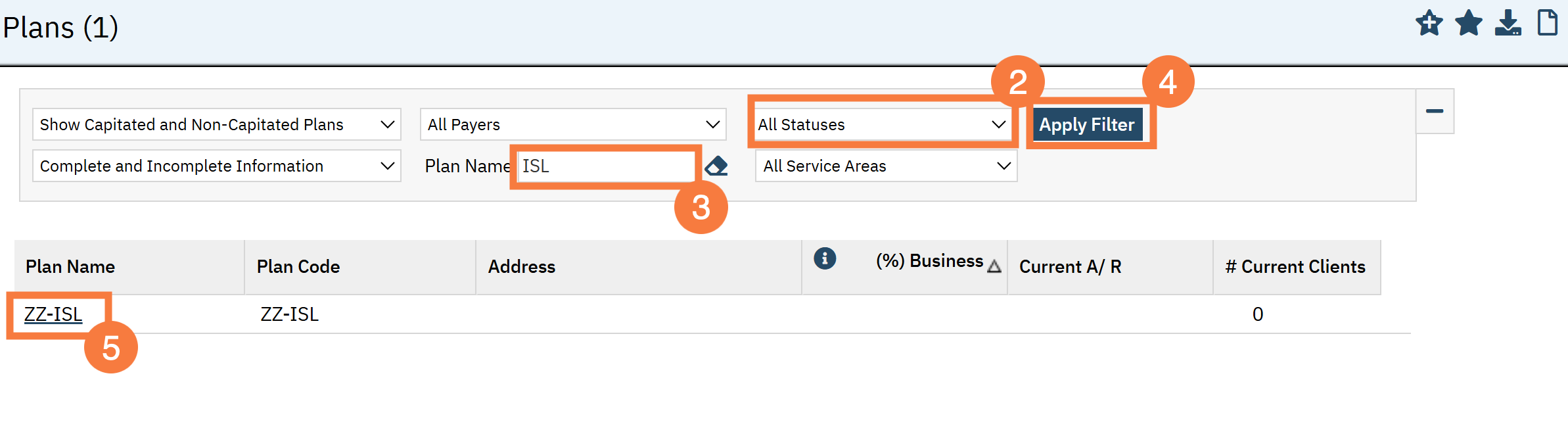
- Click the Statuses drop-down arrow and select All Statuses.
- Enter ‘ISL’ in the Plan Name field.
- Click Apply Filter.
- Click the hyperlink ZZ-ISL.
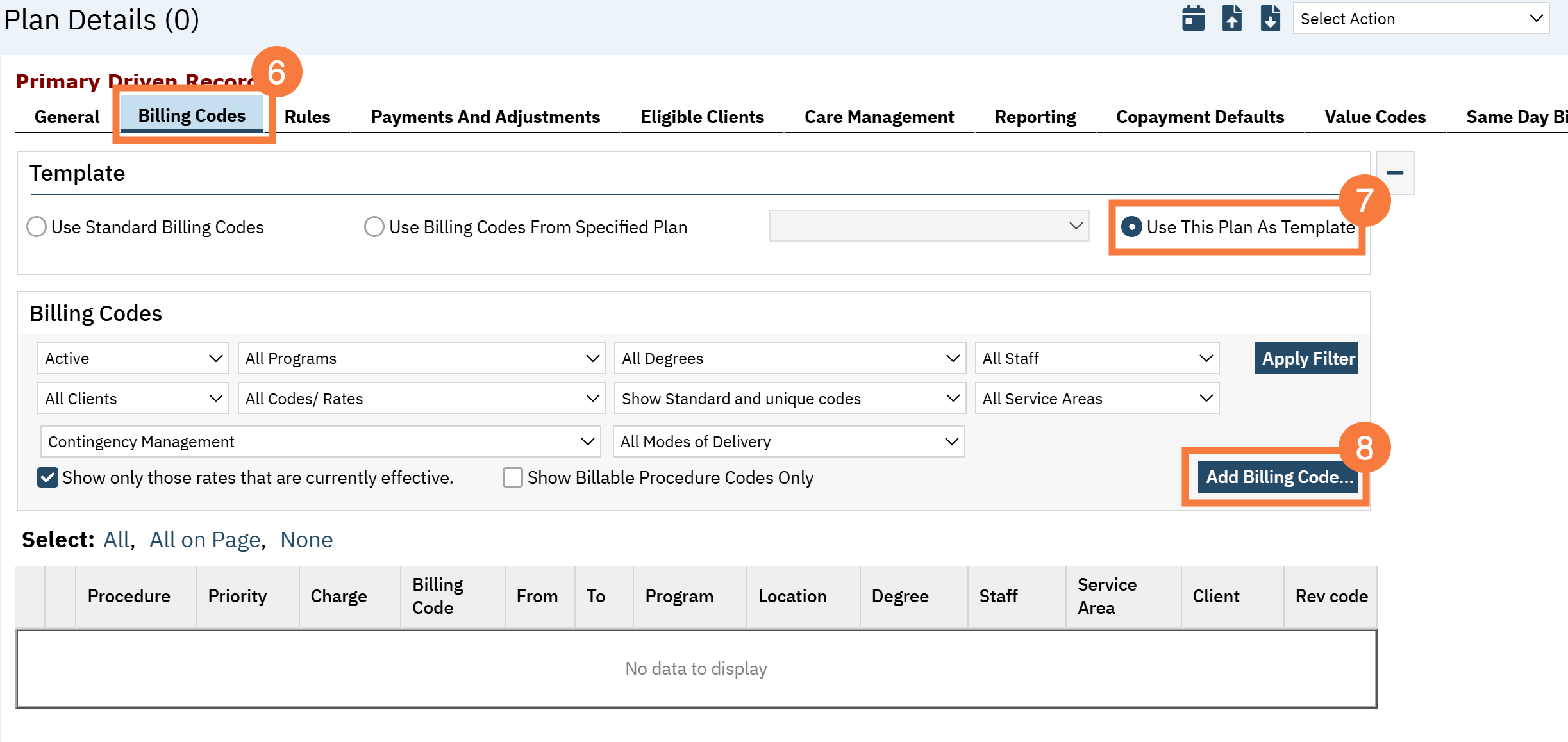
- Click the Billing codes tab.
- Click the Use This Plan As a template Radio button in the Template section.
- Click Add Billing Codes.
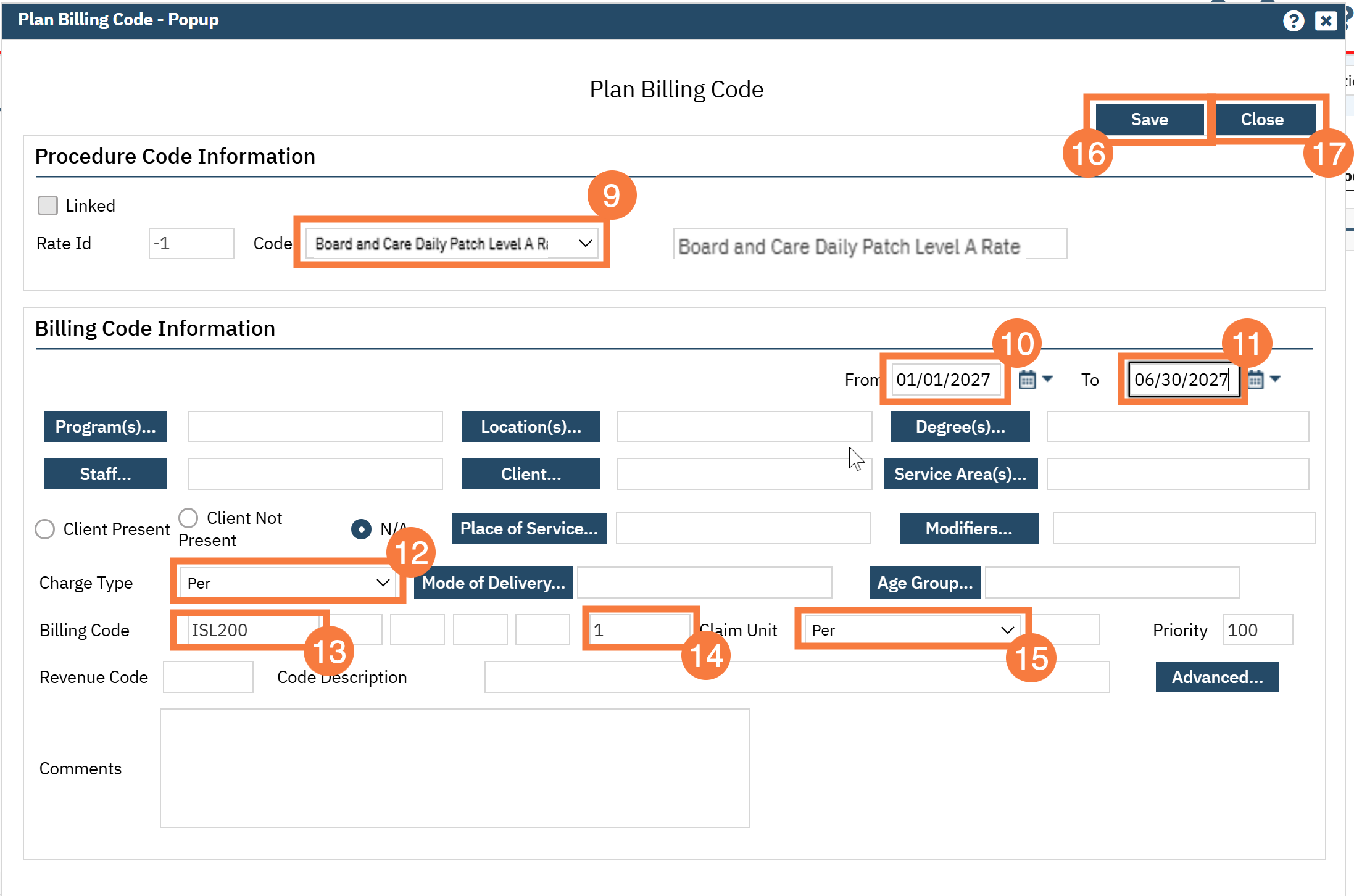
- Select the custom procedure code in the Code dropdown.
- Enter a date in the From field as an effective date of the Procedure Rate.
- Enter a date in the To date for the termination date of the Procedure Rate. This can be left blank.
- Select Per in the Charge Type field.
- Enter the ISL Billing code that should be used for ISL reporting.
- Enter 1 to represent the Billing Code Unit in the field to the left of Claim Unit.
- Select Per as the Claim Unit.
- Click Save.
- Click Close.
Repeat steps 7–16 for each custom procedure code that needs to be linked to an ISL code.