How to Complete the Mobile Crisis Satisfaction Survey
The Mobile Crisis Satisfaction Survey comes directly from the MATC and is approved by DHCS. To complete the survey in SmartCare, follow the steps below:
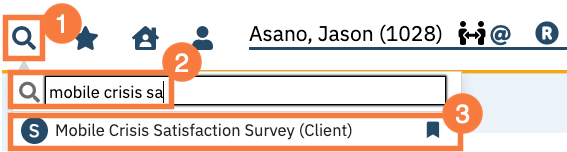
Click the Search icon, with the client open.
Type Mobile Crisis Satisfaction into the search bar.
Click to select Mobile Crisis Satisfaction Survey (Client) from the search results.
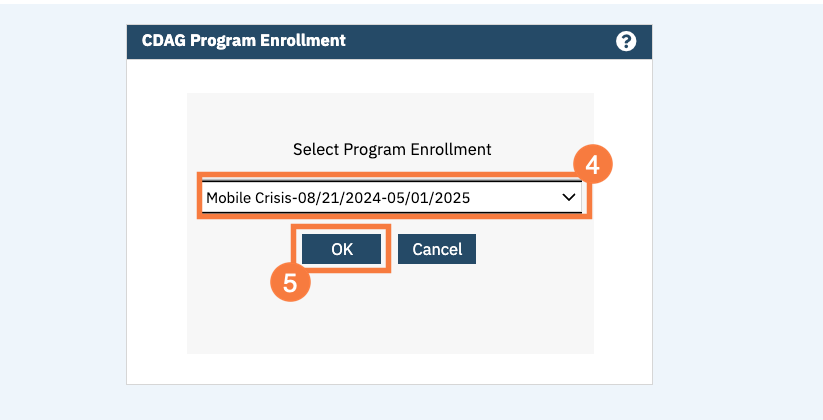
If this is the first time the client is completing the survey, the CDAG pop-up will open. Click to select the appropriate Crisis program.
Click OK.
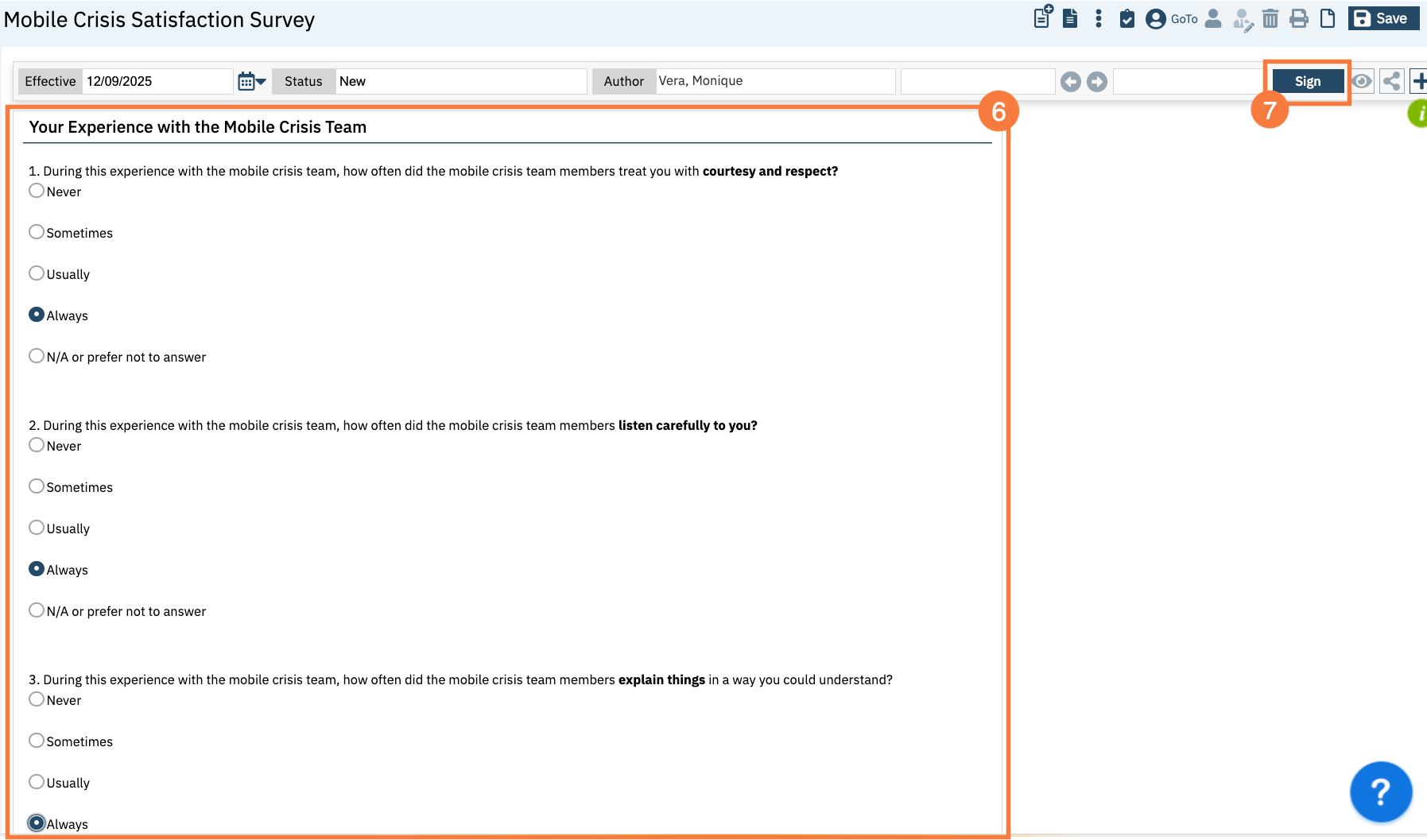
This will bring you to the Mobile Crisis Satisfaction Survey document screen.
The survey consist of 11. questions. Fill out the appropriate responses in the corresponding fields.
Note: There are no required fields in order to complete the document.
Once the survey questions have been completed, click the Sign button.