- Click the Search icon.
- Type Global Codes in the Search Bar.
- Select Global Codes (Administration).

- Click the drop-down menu in the All Categories field and select Resource name.
- Click Apply Filter.
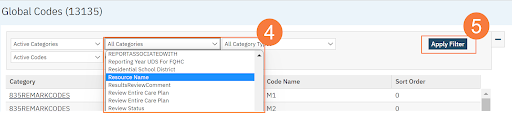
- Click on any of the options to take you to the global code details screen. (The global name is RESOURCETYPE)

Note: This is a primary-driven global code but you can add additional options.
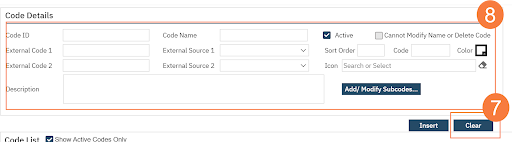
- Click Clear in the Code Details section.
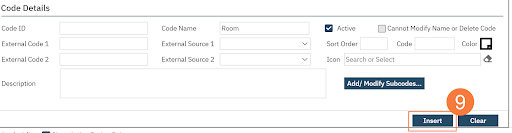
- Enter the Code Details.
- Click Insert.
- Click Save.
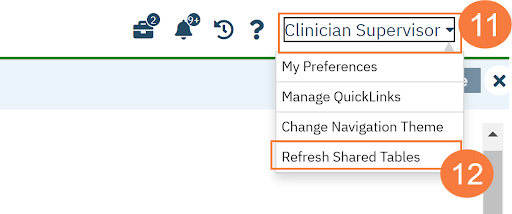
- Click your Name in the upper right-hand corner.
- Click Refreshed Shared Tables.