CalMHSA Connex: Viewing the Provider Directory

The Directory

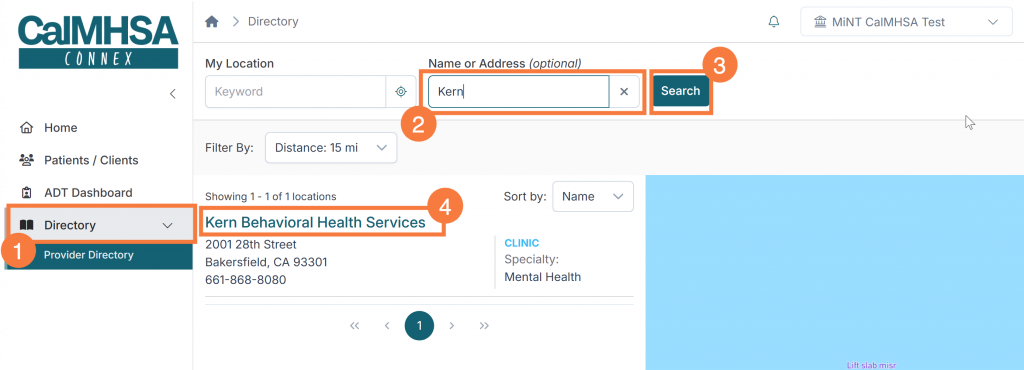
The Directory includes both search and filter functionalities: To perform a search:

  1. Click the Provider Directory menu option from the left hand side. 
  2. Enter the Name of the organization in the corresponding field. 
  3. Click Search. 
  4. Click the hyperlinked name to view the organization and affiliated providers. 

Affiliated Providers

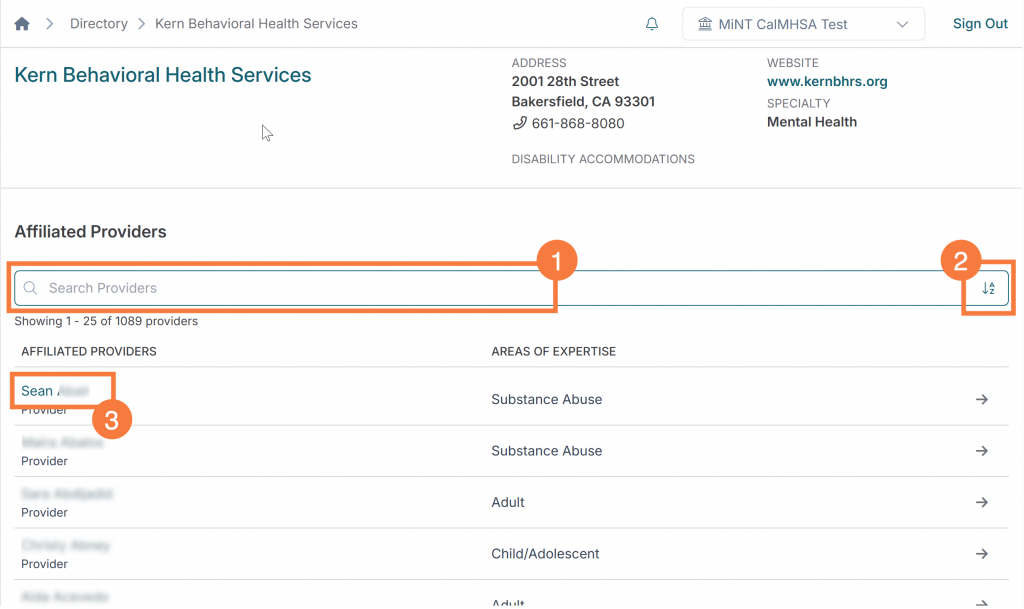
To perform a search for a provider:

  1. Enter the name of the provider in the search box
  2. Alternatively, click the “Sort A-Z” icon to change provider listing sorting
  3. Click the hyperlinked provider’s name.