CalMHSA Connex Client Index
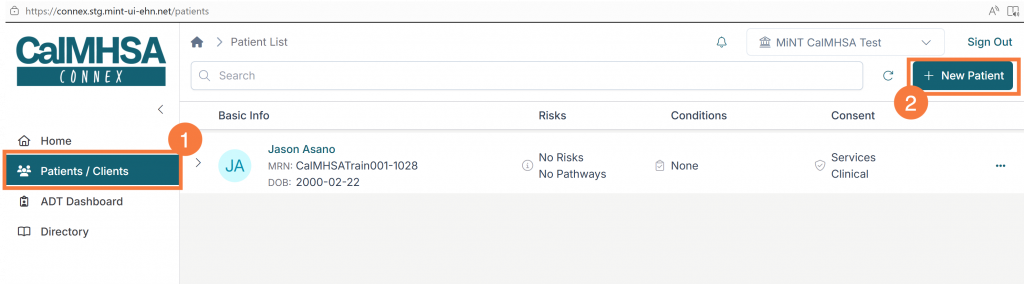
To access client records within Connex, users will utilize the Patients/Clients tab.
While the broader CalMHSA Connex Client Index is inclusive of all clients that belong to any organization that participates in CalMHSA Connex, what is viewable to a user is specific to their individual patient/client imports relative to their organization.
To view a client’s clinical record in Connex, users will first need to import the record so it can be accessed via the Patients/Clients tab.
- Click the Patients/Clients tab. The Patient List screen will display to the right.
- Click the +New Patient button. The Import Patient pop-up will open.
Importing Patients/Clients
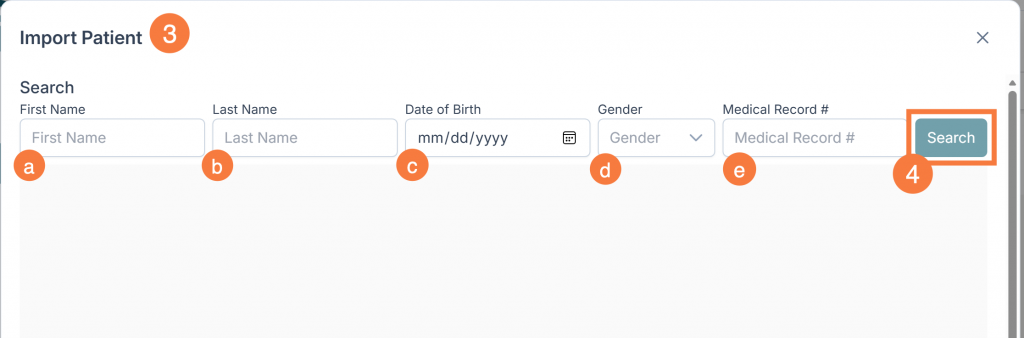
- You have the ability to search the entire patient/client index across all participating Connex organizations to locate and potentially import clients to a user’s Connex Patient/Client Index. To search for a patient/client, enter the following:
- First name (Required). You’ll need to enter at least two characters.
- Last Name (Required). You’ll need to enter at least two characters.
- Date of Birth (Optional).
- Gender (Optional).
- Medical Record # (Optional).
- Click Search
Connex Patient Import Possible Outcomes:
When performing a Connex search to import a patient using the “+ New Patient” button, you will encounter one of the following scenarios:
- Client Record Found, Ready for Import: Client is local to user’s organization, contains a local MRN, and is ready for import.
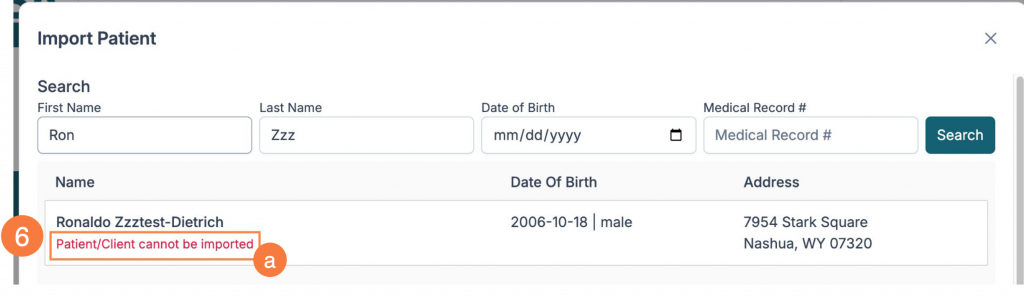
- Client Record Found, Not Ready for Import: Client is not local to the user’s organization, and record cannot be imported yet.
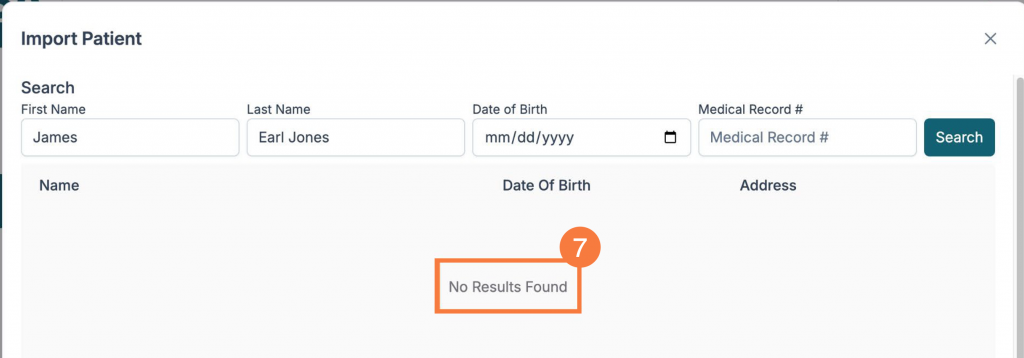
- Client Record Not Found: If the search fields do not match with any client record within Connex, it will return a response with “No Results Found.”
Client Found: Ready for Import
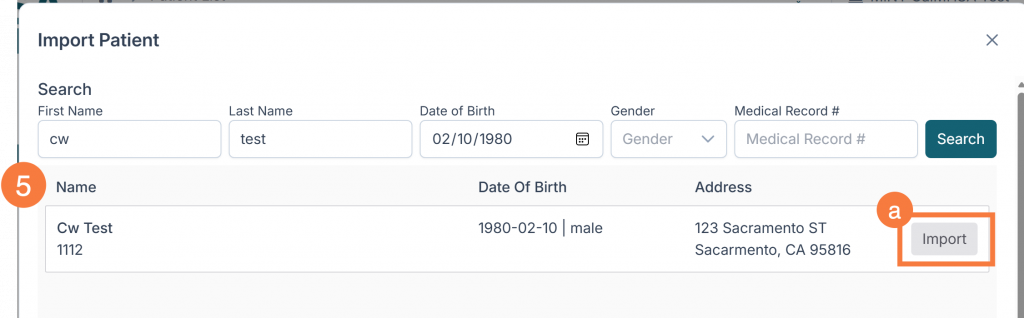
- If the search returns a client record showing an MRN, this indicates that the client already has a record within the user’s organization, and they can be imported into the user’s Connex Patient/Client Index.
- Click Import.
- If the patient search returns a client record but does not contain an MRN, it will state “Patient/Client cannot be ” This indicates that the client is not currently present in the user’s SmartCare system within their own organization or has not yet synced with Connex and may represent a new client.
- The record cannot be imported until the client record has been created in
- This might indicate that the client’s name was typed incorrectly, a client’s record has been sequestered for provider access, or the client is not a patient of an organization that participates in CalMHSA Connex.
Clear an Imported Patient/Client from View
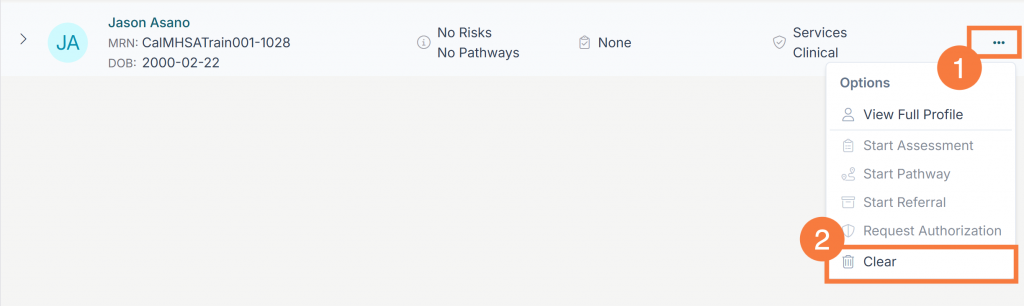
After a client record has been imported, you can “clear” the record from your individual Patients/Clients Index. This will not delete the client record from Connex, rather, it will remove the import. You can always re-import clients after clearing a record from view. To clear the patient/client view:
- Click the Options button (ellipsis icon).
- Click Clear. The client’s record will immediately be cleared from view