Overview
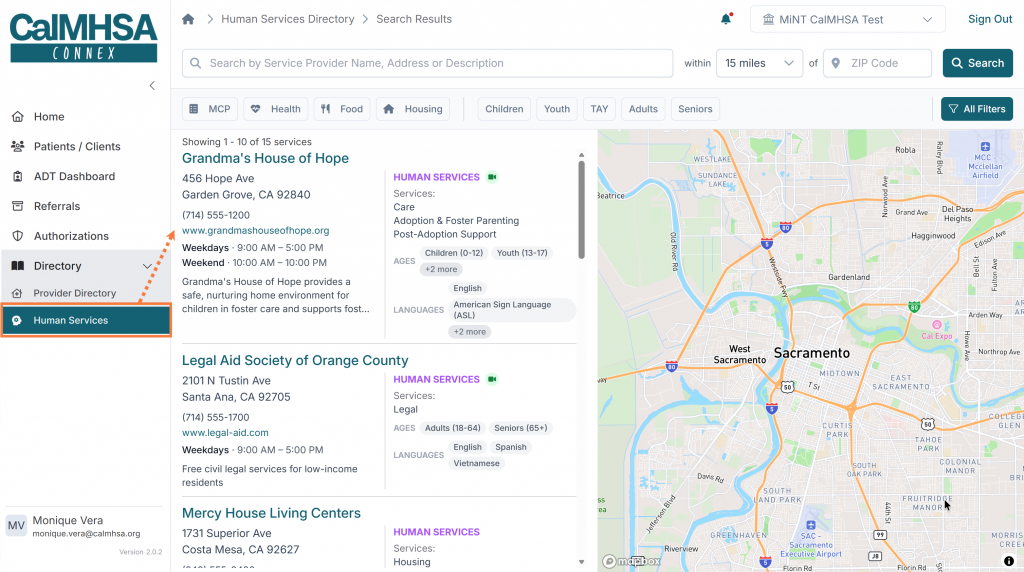
The Human Services Directory helps care coordinators find local services and resources for their clients. The directory is searchable by location (ZIP code), service category, age group, language, and more. It is organized around community service locations, each of which may offer one or more services.
The directory is accessible from the left navigation menu under Directory > Human Services. When you open the directory, you are taken directly to the search page, which displays a split view with a results list on the left and an interactive map on the right.
Searching and Filtering
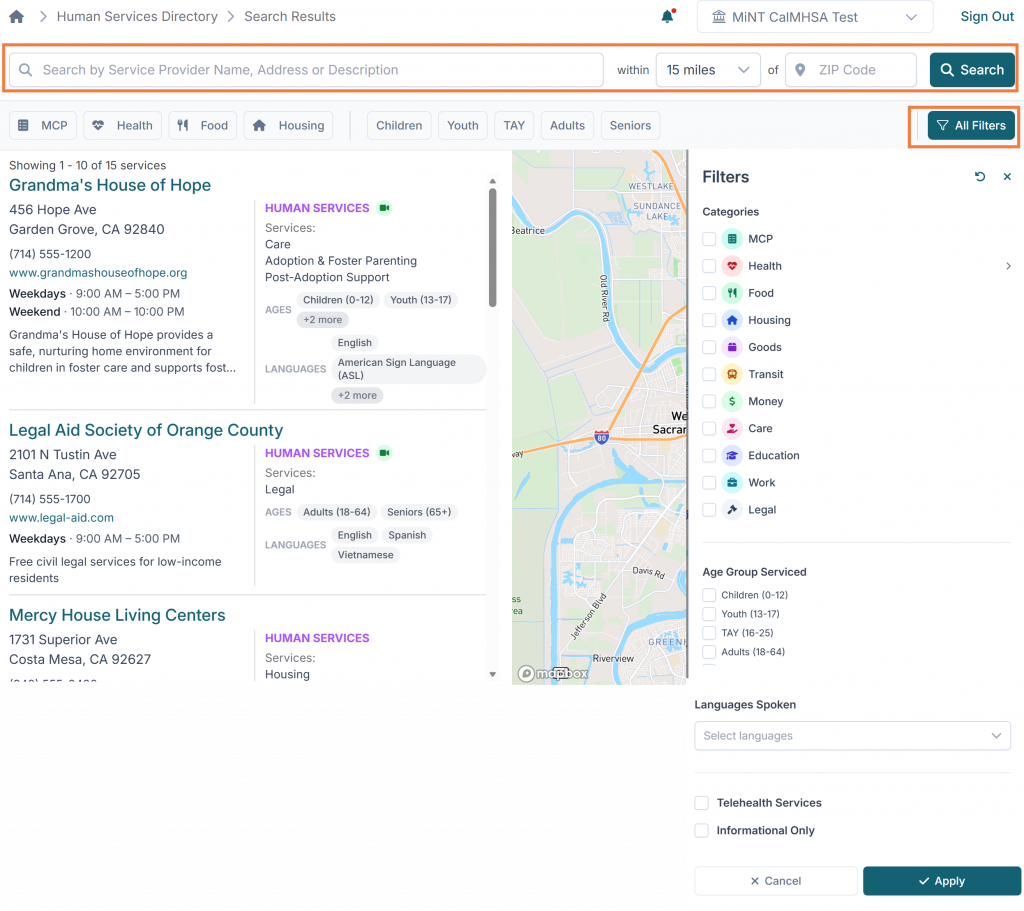
- Text Search: Enter keywords to search by service provider name, address, or description. Press Enter or click Search to apply.
- Distance Filter: Select a radius (5, 10, 15, 25, or 50 miles) from the dropdown. Only locations within this distance of the entered ZIP code will be displayed.
- Quick Filters: A row of category buttons (MCP, Health, Housing, Food, etc.) and age group buttons appear below the search bar. Click to toggle filters on or off. Active filters appear highlighted.
- All Filters: Click the “All Filters” button to open the filter drawer. This provides a full set of filtering options including service categories, age groups served, languages, telehealth availability, and informational-only locations.
- Clear All: When filters are active, a “Clear All” button appears to reset all filters at once
Viewing Service Details
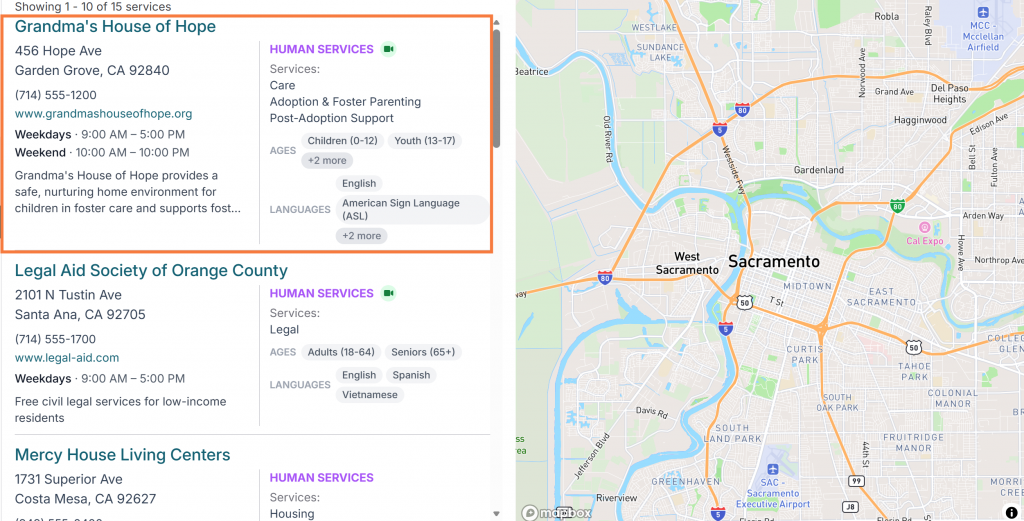
Each service location in the results list is displayed as a card showing:
- Location name and address
- Phone number and website (if available)
- Operating hours
- Category type badges (Clinical Services or Human Services)
- Age groups served
- Languages offered
- Telehealth availability indicator
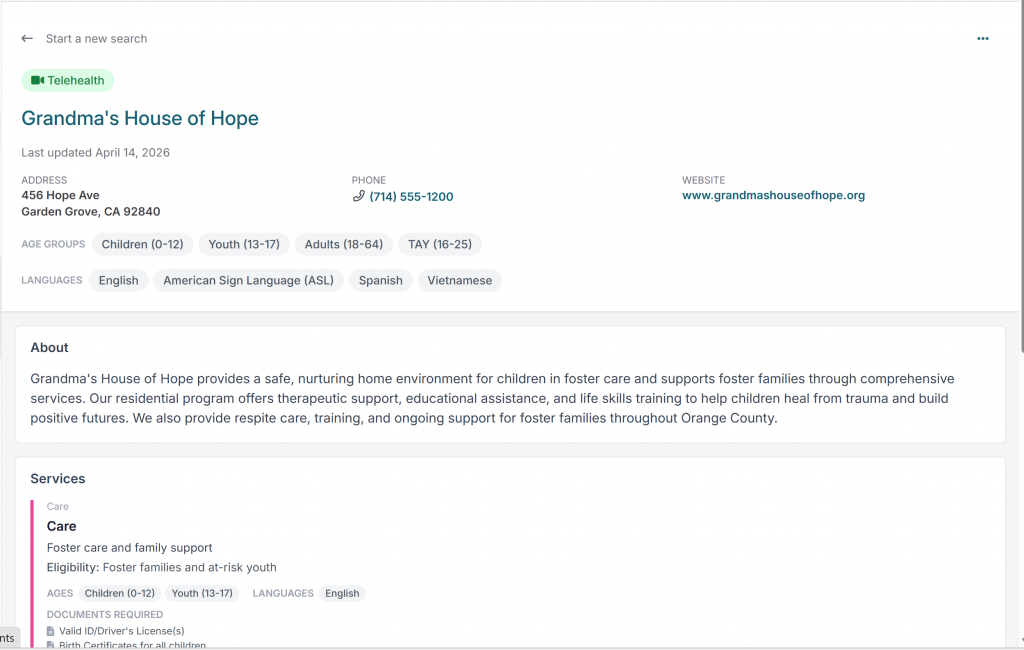
Click a location card to open its detail page. The detail page shows the full profile of the location along with all services offered at that location. The page is organized into sections:
- About: A description of the organization and its mission.
- Services: Each service offered at the location is listed with its name, description, eligibility requirements, age groups served, languages supported, required documents for intake, and telehealth availability.
- Location Details: A map showing the location, the full address, and the coverage area (e.g., Los Angeles County, Orange County).
Starting a Referral from the Human Services Directory
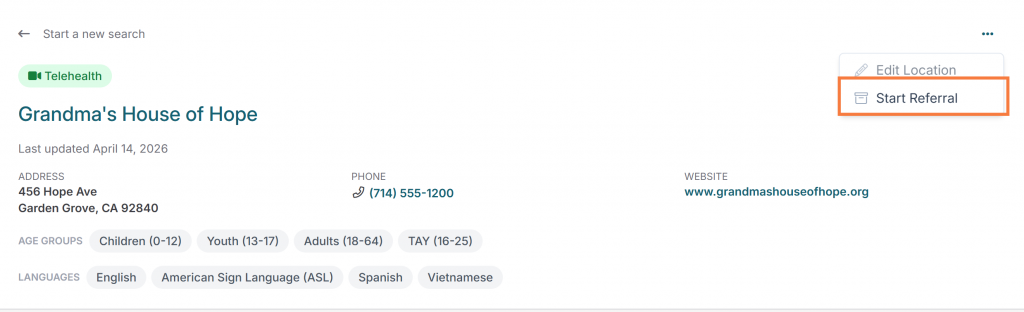
You can start a referral directly from the Human Services Directory, if desired, rather than navigating back to the patients/clients tab or referrals tab. From a location detail page, each listed service has a “Start Referral” button on the right side. Clicking this button initiates the referral creation workflow with the service and location pre-populated. Users can also select the “menu” icon (three dots) which allows selection to “Start Referral” for the organization as a whole, rather than for a specific service.
If the location is marked as informational only, the “Start Referral” button will be disabled because informational listings are not eligible for direct referrals.