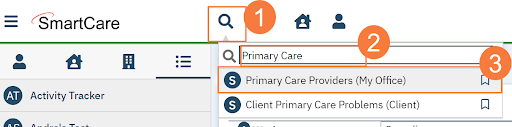
- Click the Search icon.
- Type Primary Care Providers.
- Select Primary Care Providers (My Office).
- Click New.

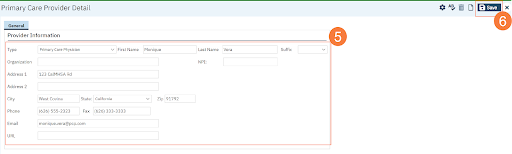
- Complete the form.
Note: To Add an organization, you do not need to complete the First and Last name fields.
- Click Save.

Note: To Add an organization, you do not need to complete the First and Last name fields.