
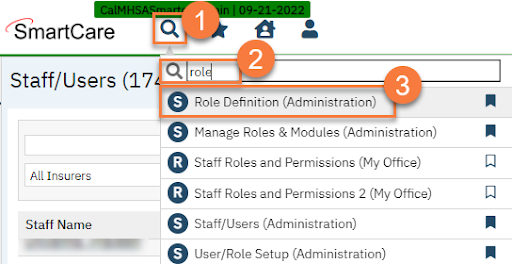
- Click the Search icon.
- Type “Role Definition” into the search bar.
- Select “Role Definition (Administration)” from the search results.
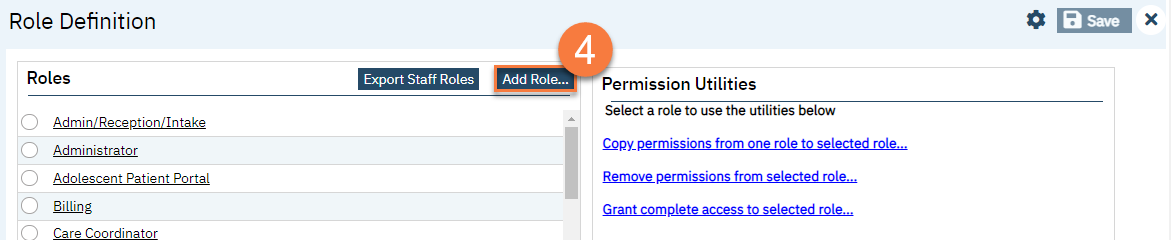
- This takes you to the Role Definition In the Roles section, click the Add Role button.
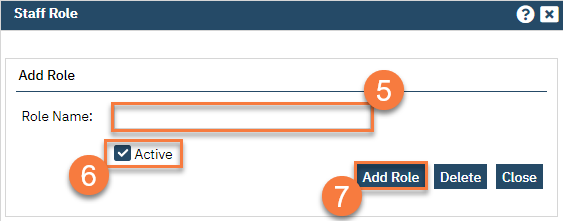
- This brings up a popup Enter desired Role Name.
- Select the Active State of the Active by Default.
- Click Add Role.
NOTE: All new User Roles will default all permissions to “denied”.