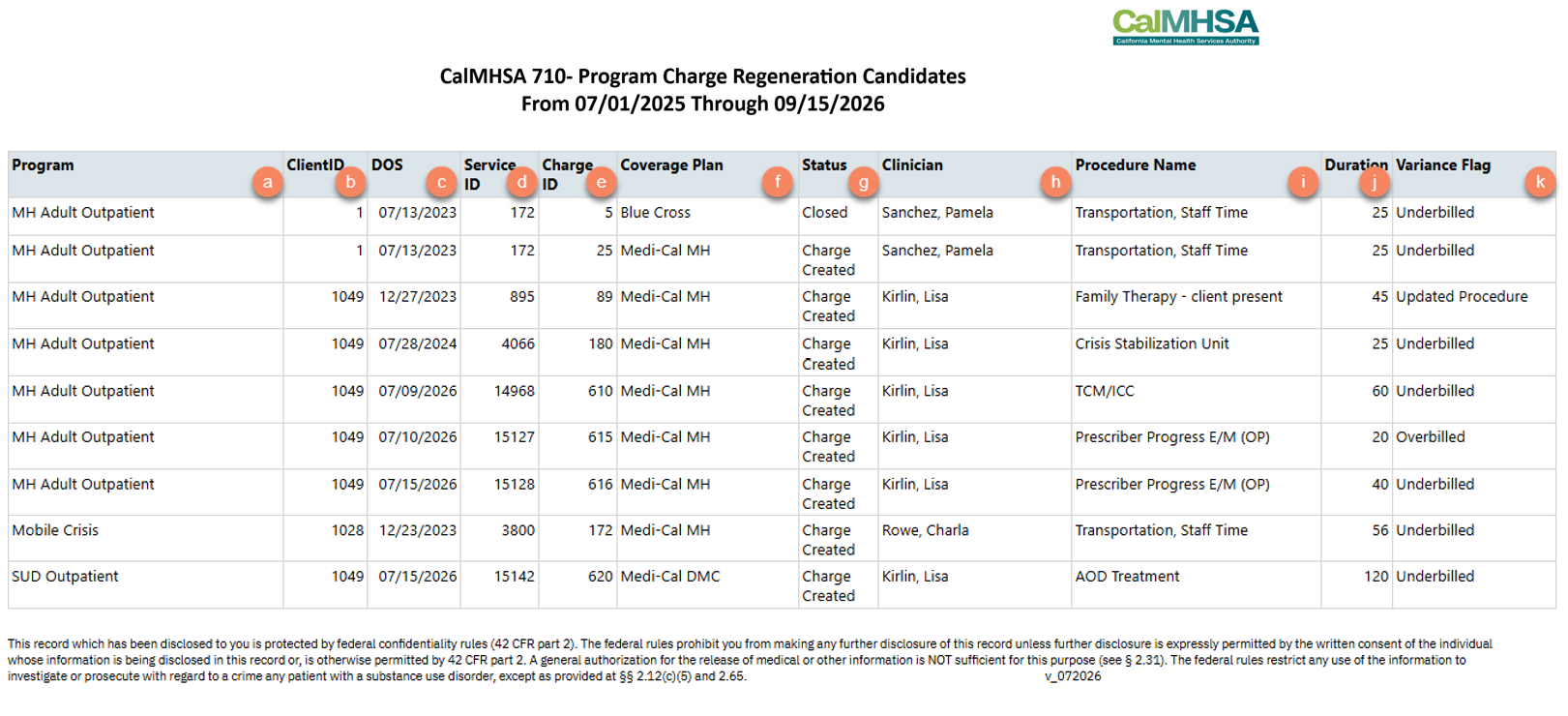
This report identifies services whose charges may need to be regenerated because they are out of sync with the underlying service record. This can happen in two ways:
- The procedure rate linked to the service no longer matches the service’s procedure code.
- The number of charge units on the charge doesn’t match the expected units, based on the Service Time recorded on the service.
These discrepancies typically occur when a service’s procedure or duration is edited after the service has been moved to Complete status, but the associated charge is not regenerated to reflect the change.
Only services with a detected discrepancy are displayed. Once a flagged charge is regenerated, the service is removed from the report so the report functions as a checklist of services still needing review.
The following roles will be defaulted to have access to this report:
- County Affiliate Sys Admin
- CalMHSA Sys Admin
- Billing Supervisor
- Billing
To pull this report, follow the steps below:
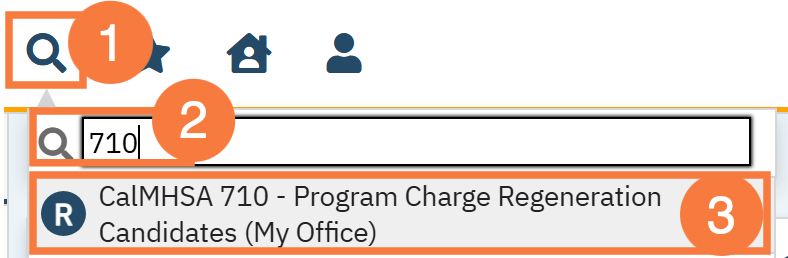
- Click the Search icon.
- Type 710 into the search bar.
- Click to select CalMHSA 710 – Program Charge Regeneration Candidates (My Office).
Filters
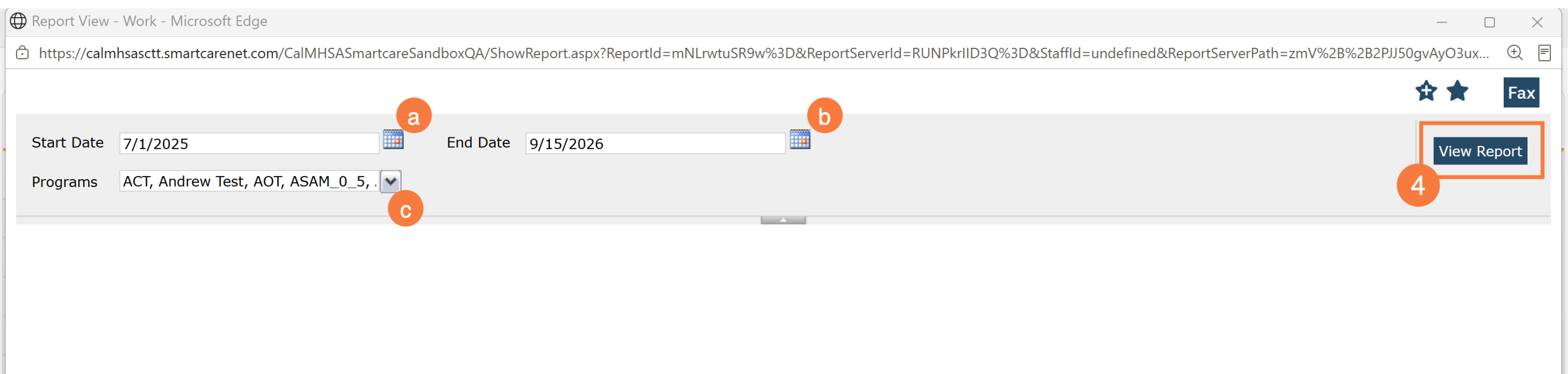
- Select the appropriate filters and click View Report.
- Start Date: A date filter where users specify the beginning of the date range they wish to view regarding service record’s Date of Service
- End Date: A date filter where users specify the end of the date range they wish to view regarding service record’s Date of Service
- Programs: Will only list programs that the end user has been granted access to.
Columns/Section
- Program: Displays the program name associated with the service record
- Client Id: Displays the client id associated with the service record
- DOS: Displays the service record’s date of service
- Service ID: Displays the service record’s id
- Charge ID: Displays the Charge record’s Id that is associated with the service record
- Coverage Plan: Displays the name of the coverage plan linked to the Charge ID
- Status: Displays the Status of the charge record
- Clinician: Displays the name of the Clinician associated with the service record
- Procedure Name: Displays the name of the procedure associated with the service record.
- Duration: Displays the Service Time associated with the service record.
- Variance Flag: Will display one of 3 options:
- Overbilled: The duration on the service is less than the duration listed on the procedure rate attached to the service. When the charge is regenerated it is expected for the charge amount on the service to decrease.
- Underbilled: The duration on the service is greater than the duration for the procedure rate attached to the service. When the charge is regenerated it is expected for the charge amount on the service to increase.
- Updated Procedure: The procedure listed on the service does not match the procedure listed on the procedure rate attached to the service. When the charge is regenerated, the charge balance may not change if the expected rate amount matches between the two procedures.