How to View a Prescriptions Transmission History

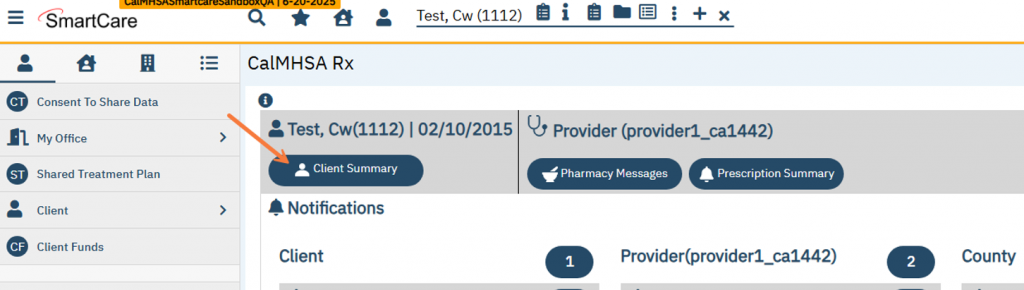
Have your clients chart open in SmartCare and navigate to the CalMHSA Rx transmission screen.  Select Client Summary icon to access CalMHSA Rx.

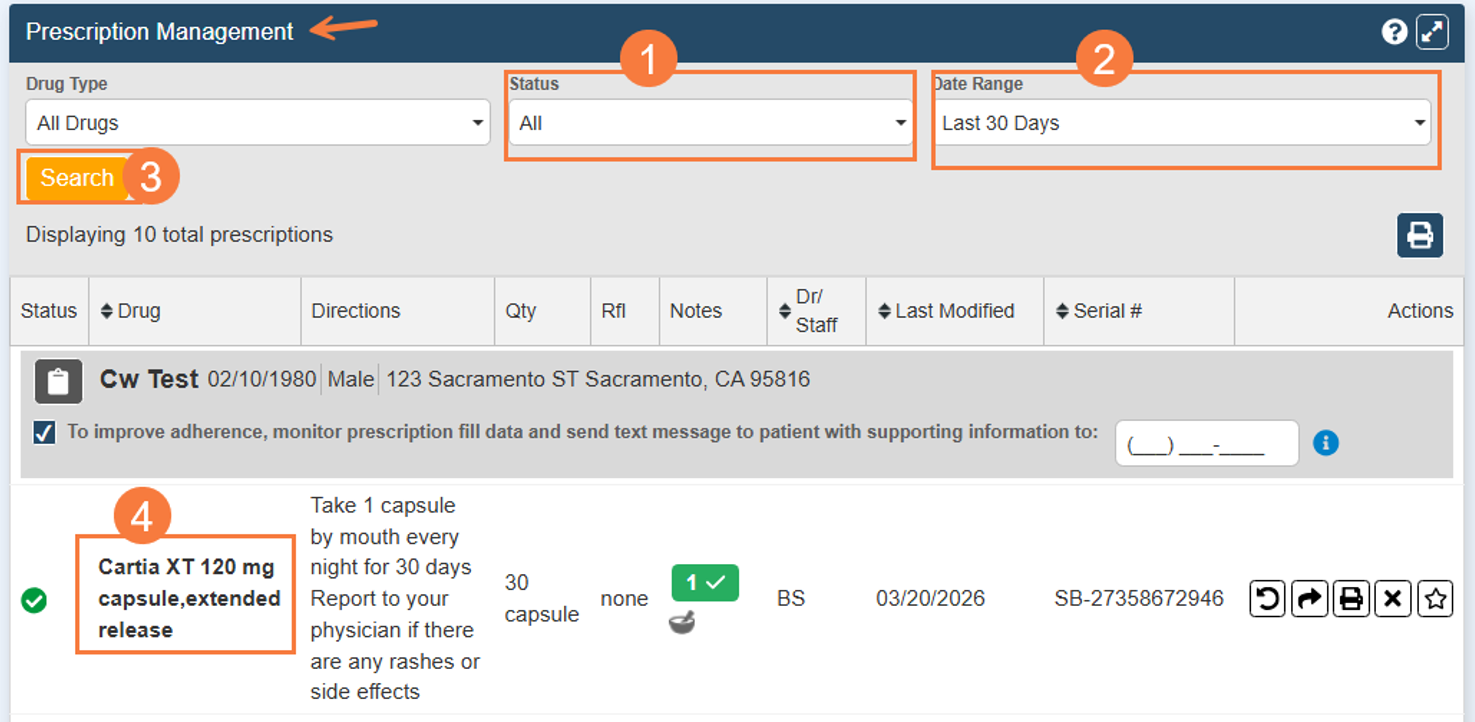
Scroll down to the bottom of the screen to the Prescritpion Management section.
  1. Choose dropdown for Status and change to All or Completed.
  2. Select Date Range.
  3. Select Search
  4. Find prescription and click on the drug name.
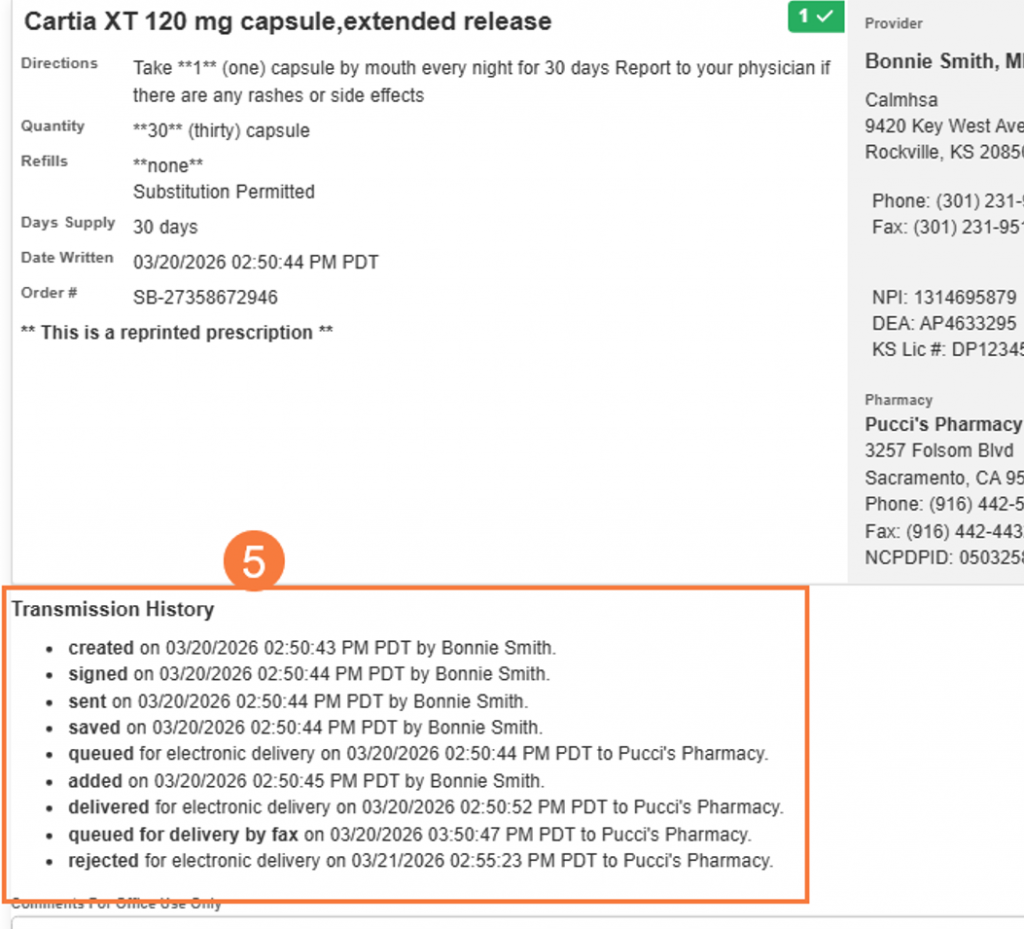
  1. A new window should open and at the bottom you should see the Transmission History.