Prior Authorizations can be created as a part of the referral initiation workflow or independent of a referral.
To create a new prior authorization, follow the steps below:
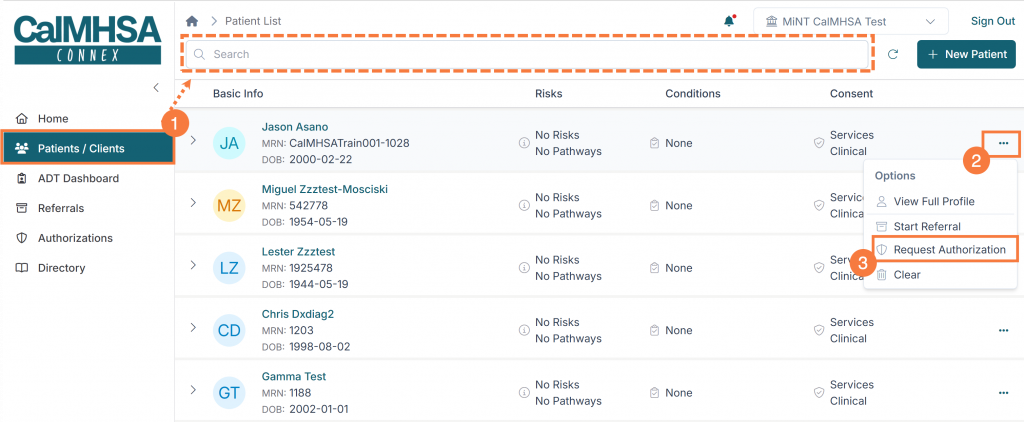
- Click the Patient/Clients icon to search for your client.
- Once you have located your client, click the ellipsis icon (3 dots).
- Click Request Authorization from the menu options.
- Fill in the referral details:
- Service Category (required): The broad classification of the service being requested.
- Service Type (required): The specific service within the selected category.
- Include How Often (optional): This will be the frequency the service is needed.
- Include Diagnosis (optional): Select relevant diagnoses from the patient record. You can search through populated diagnoses as needed to select any applicable information.
- Duration (required): The length of time is required (i.e., X number of days/weeks/months).
- Start Date (required): The requested start date for the service to begin. Date selection can be in the past or future.
- Urgency (required): The urgency level — Standard, Expedited, or 24 Hours.
- Authorized Reviewer (required): The organization/location that will review and
- Justification: Free-text clinical justification for the service.
- Documents: Upload supporting document(s). Each document requires a document type to be selected.
- Click Next.

Note: You can add multiple service entries to a single authorization request using the “+ Add Service” button. Each service entry is submitted as a separate authorization but linked to the same patient and submission.
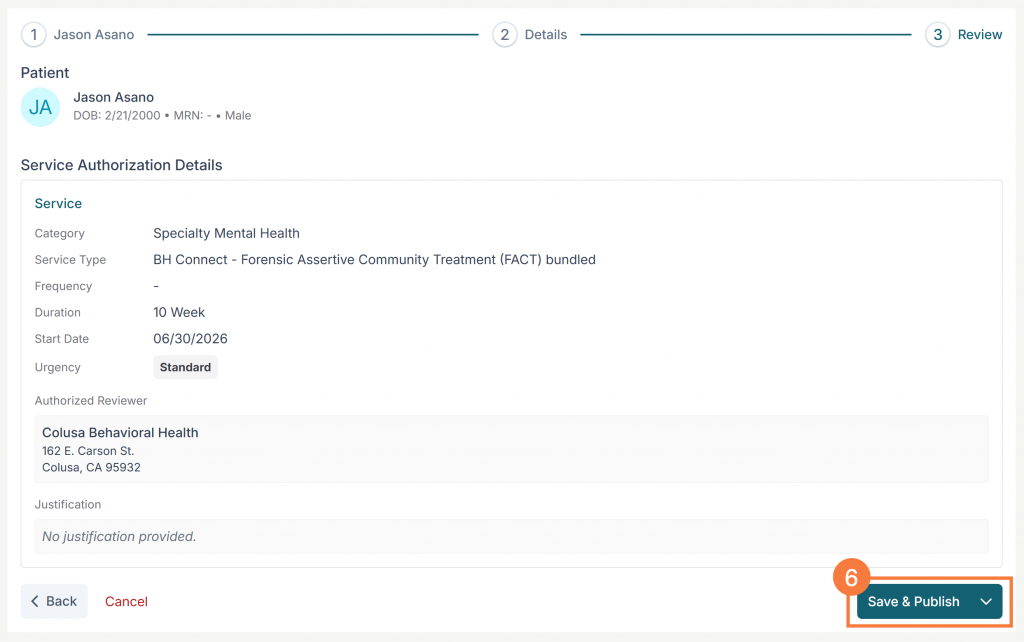
- Review the authorization and click Save and Publish.
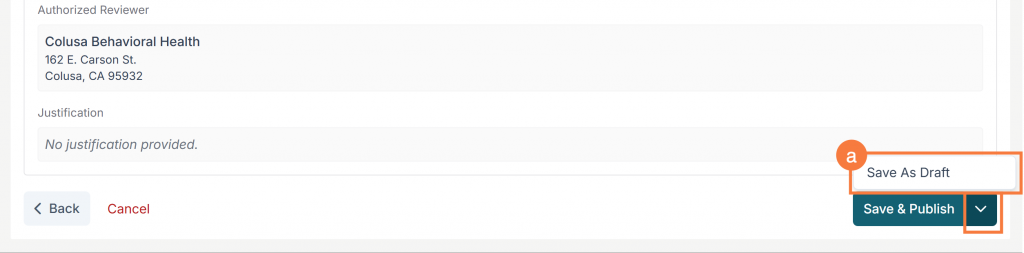
- Alternatively, if you need to save a draft before finalizing by clicking the dropdown arrow and selecting Save Draft.