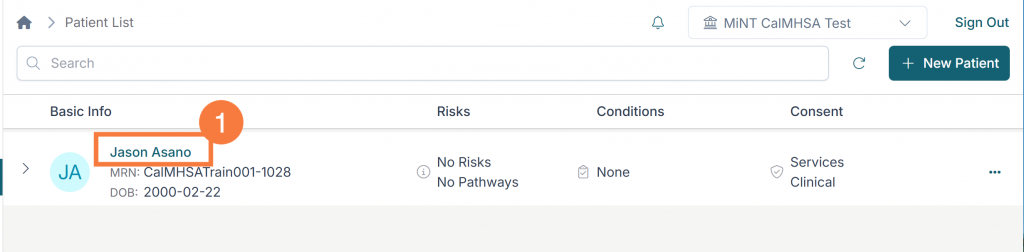
After a client record has been successfully imported to the user’s Patient/Client Index, the clinical record can now be accessed. To access the client’s clinical record:
Click the hyperlinked patient/client name.
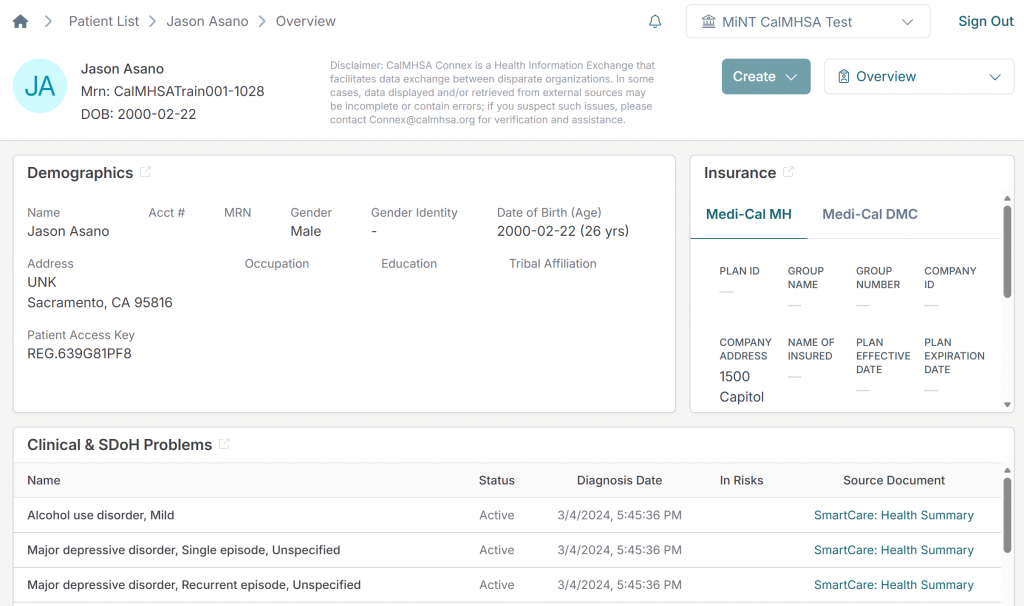
Patient/Client Overview Screen
This will open the Patient/Client Overview screen. This screen contains various sections showing the client’s demographics, medications and other information that has been made available.
Clinical Summaries
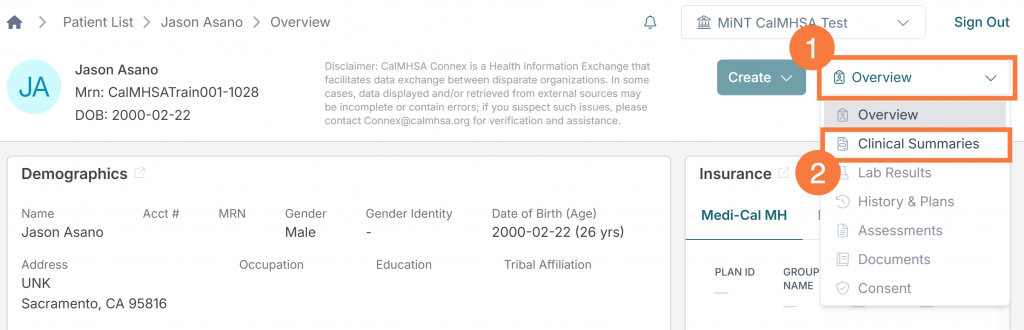
Clinical Summaries display categorized patient information from available documents. To view clinical summaries:
Click the Overview menu drop-down.
Select Clinical Summaries.
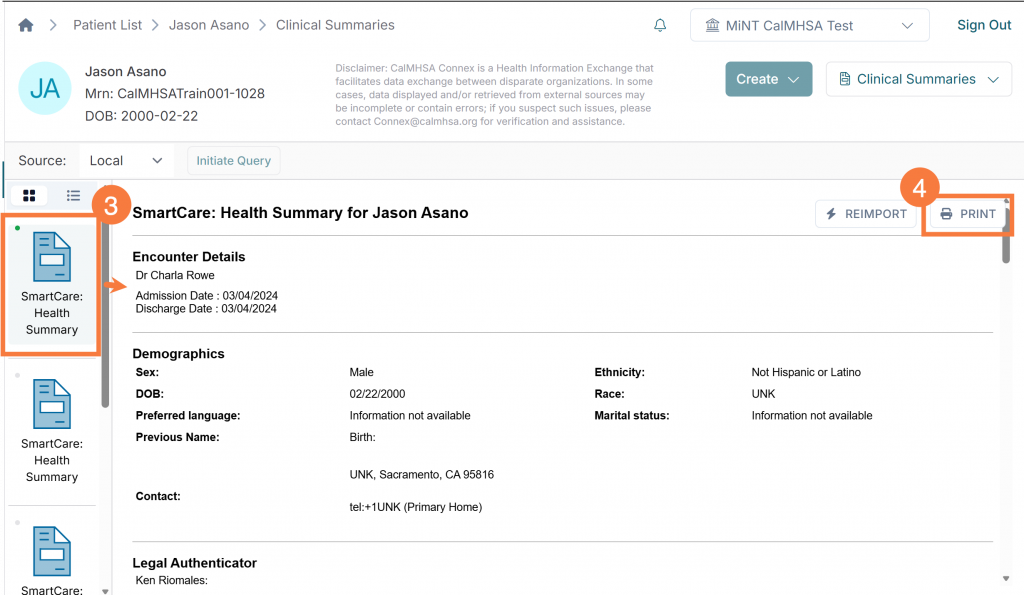
Click the “Patient Summary” icon that you want to view.
This will allow you to view any available health summaries for the client within this document.
Click Print to save or print this summary, if needed