Timely Access Records measure how quickly a new client is able to get into services. This is required for Medi-Cal beneficiaries who have requested this type of service. This generally includes any Medi-Cal beneficiaries who aren’t currently receiving services.
These types of records generally take time to complete, as the data points often span multiple weeks. Also, sometimes it’s not always a single person who knows each data point. For that reason, these types of documents are editable by non-authors. Complete the sections as you go through the access process and save the document as you enter data. Once the client receives their first follow-up service, the access record is complete and can be signed. Sometimes the client doesn’t make it to that point, and the access record is closed. There’s a way to document that as well in the document. Once the access record is either complete or closed, the author should sign the document. If needed, the author can be changed to ensure the document is signed.
There are 6 types of timely access record documents in SmartCare. These correspond directly to the types of services that are required to tracked and reported on for annual reports to DHCS:
- MH Non-Psychiatric SMHS Timeliness Record
- MH Psychiatric SMHS Timeliness Record
- DMC-ODS Outpatient Timeliness Record
- DMC-ODS Opioid Timeliness Record
- DMC-SP Outpatient Timeliness Record
- DMC-SP Opioid Timeliness Record
DMC-ODS documents should be used for counties who are contracted to provide Drug Medi-Cal Organized Delivery System (DMC-ODS) services. DMC-SP documents should be used for counties who are contracted to provide Drug Medi-Cal (DMC) services under the State Plan (SP). MH documents should be used for counties who are contracted to provide Medi-Cal Specialty Mental Health Services (SMHS).
While most of the questions are the same across each of these document types, there are subtle differences. For example:
- Both DMC-SP documents exclude the question about referring to an out-of-network provider
- The MH Psychiatric document does not include the follow-up appointment section
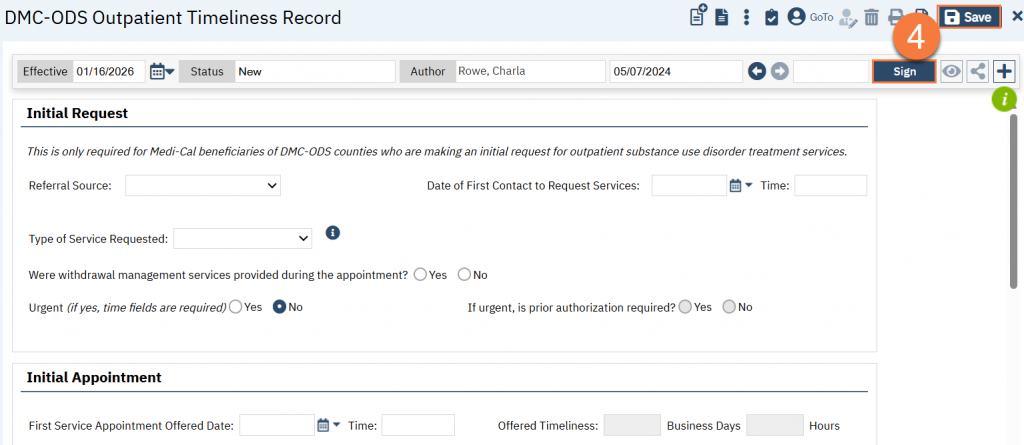
- The DMC-ODS Outpatient document has an additional question about the type of service being requested and whether withdrawal management services were provided
For the instructions below, the DMC-ODS Outpatient document was used because it includes all of the possible questions. If your document doesn’t have that question or section, simply ignore that step and move on.
- With the client open, open the appropriate Timely Access document. (see above for the specific names). In this example, we’ll use the DMC-ODS Outpatient Timeliness Record document.
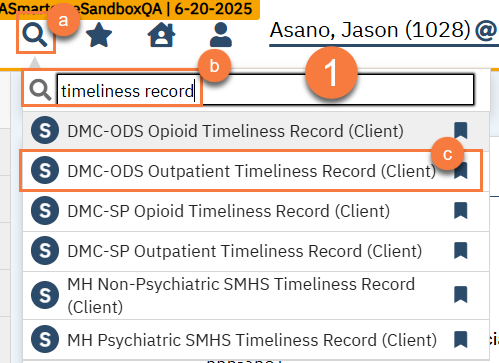
- With the client open, click on the Search icon.
- Type in the name of the document in the search bar.
- Click to select the document from the search results.
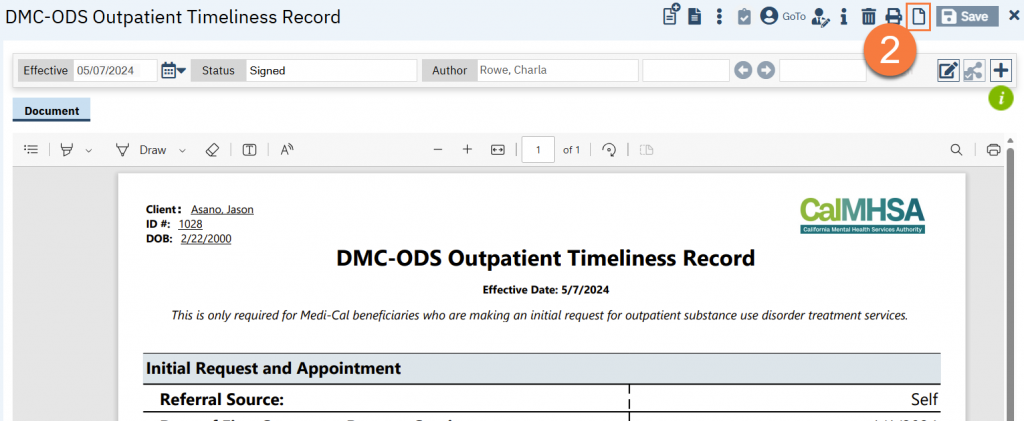
- If the client already has a document of this type, the system will show you the most recent one. Click the New icon to create a new document. If the client doesn’t have this type of document, the system will automatically skip to the next step.
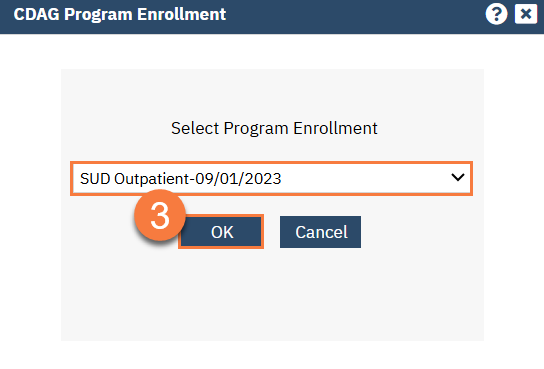
- A CDAG window will pop up. Select the program you’re tying this record to and click OK.
- This takes you to the timely access record document. Enter as much information as you have. Click Save to save the record. When the record is fully complete or closed out, click Sign to finalize the record.