With the changes to CARE Act in Data Dictionary 2.0, the CARE Episode is no longer created via the CARE Act Reporting Document. Instead, a CARE Episode is created via the CARE Episode document. You will need to have a CARE Episode document before you can create a CARE Act Reporting Document. See CARE Episodes for more details.
State reporting requires monthly data collection for every client involved in the CARE Act. Since the reporting periods are monthly, generally the CARE Act Reporting Document will be completed after the reporting period ends. For example, for the reporting period of September 2024 (data pertaining to date 9/1/24 – 9/30/24), the CARE Act Reporting Document will be completed in October 2024 (after 9/30/24).
The exception to completing the CARE Act Reporting Document after the reporting month is when the client moves from the Initiation Period to the Active Period within the month. In this case, 2 CARE Act Reporting Documents are required for that month – one for the Initiation Period information to establish a baseline and the second for the Active Period information.
Even after the client exits the CARE process, there is a 12-month follow-up period where monthly reports are still required for that CARE Episode. If the client terminates early (e.g. before the 12-months are up), then the month in which termination occurs is the final month that must be reported for that client’s CARE Episode. When a new CARE Episode starts, the reporting process must start from the beginning.
How to Complete the Initial CARE Act Reporting Document
- With the client open, navigate to the CARE Act Reporting Document.
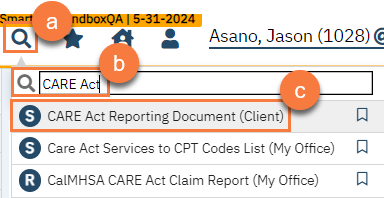
- Click on the search icon.
- Type in “CARE Act Reporting” in the search bar.
- Click to select “CARE Act Reporting Document (Client)” from the search results.
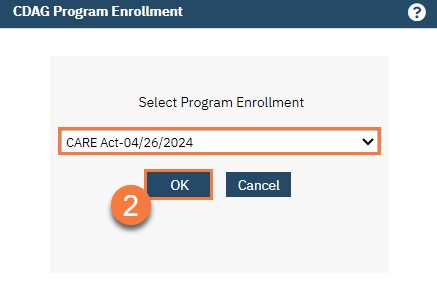
- If this is the client’s first CARE Act case, this will automatically bring up the CDAG Program Enrollment window to popup. Select the appropriate CARE Act program enrollment from the dropdown and click OK.
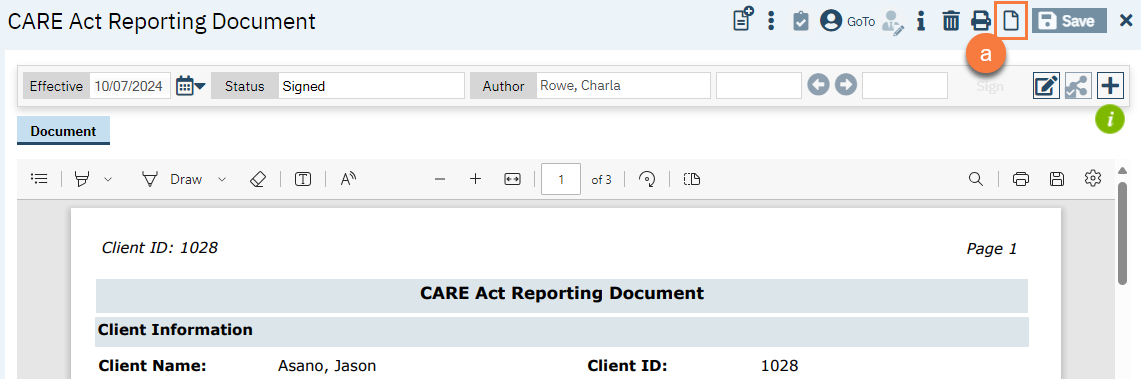
- If the client had a previous CARE Act case, this will bring up the most recent CARE Act Reporting Document. Click on the New button. This will then bring up the CDAG Program Enrollment window. Select the appropriate CARE Act program enrollment from the dropdown and click OK.
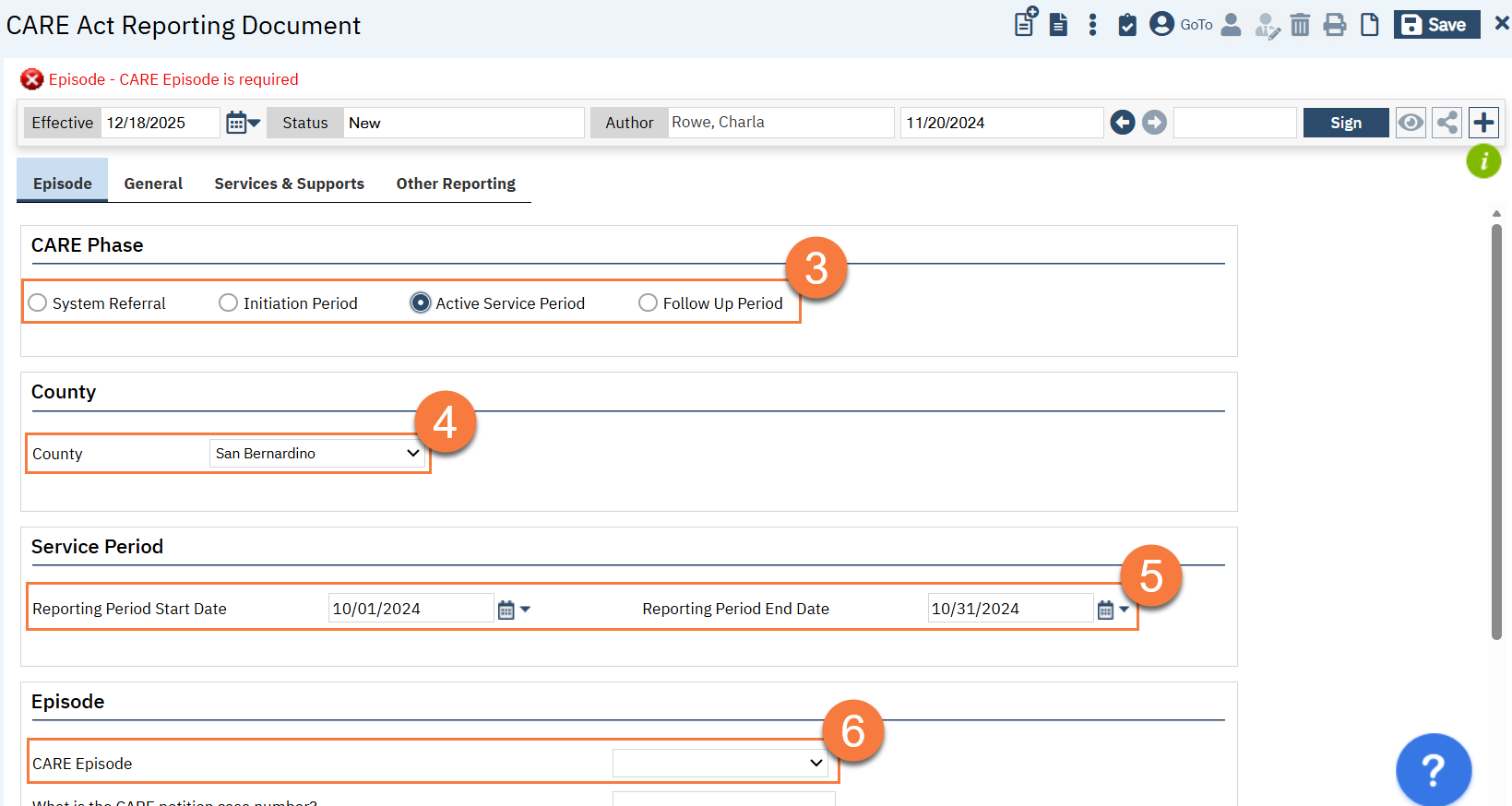
- This brings you to the CARE Act Reporting Document screen. You’ll start on the Episode tab. In the Type section, select the appropriate CARE Phase. This will determine which tabs and questions will show up for you. Note: you may see a red alert asking you to enter the CARE Episode. We’ll address this in step 6 below.
- In the County section, your county should be automatically selected. If the county is incorrect, select the appropriate county and contact your system administrator.
- In the Service Period section, enter the reporting period start date and end date.
- For the first document, you’ll want to use the date of the referral or petition rather than the first of the month (e.g. 4/12/25 rather than 4/1/25)
- If the client transitioned between phases during this month, enter the date before the client transitioned to the next phase in the end date. For example, if the client started the active phase on 9/15/24, enter 9/14/24 as the end date for the CARE Act Reporting Document associated with the Initiation Period.
- In the Episode section, select the CARE Episode from the dropdown. This will pull from the CARE Episode documents that exist for this client, so if you’re not seeing any available, make sure to complete the CARE Episode document first.
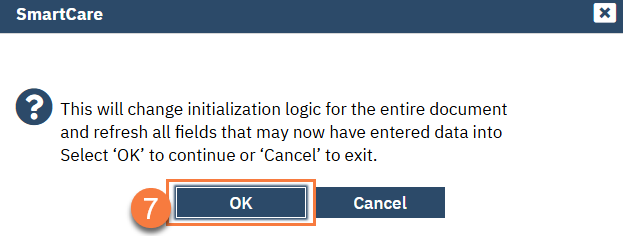
- This will bring up a popup indicating that by selecting a CARE Episode the system will pre-populate the document with information from this CARE Episode. Click OK to pull this information in.
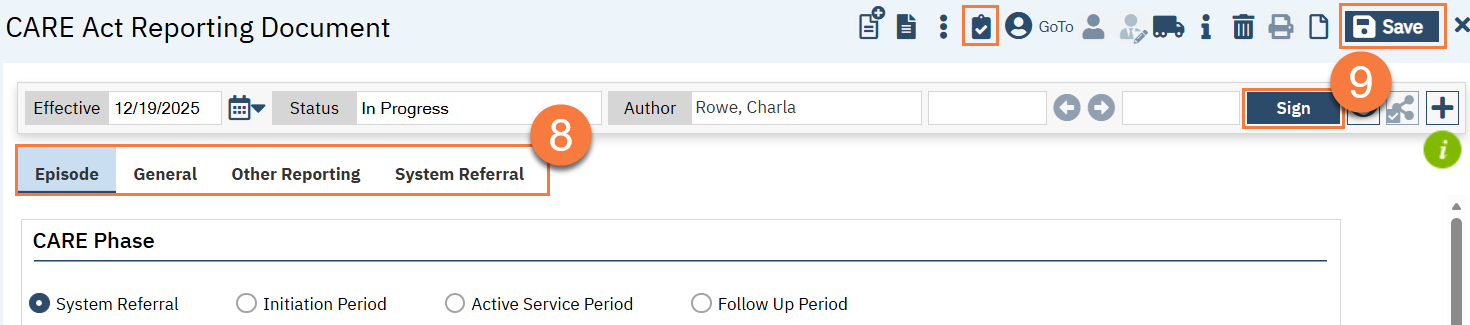
- Click through each tab and answer all questions shown. Note that on the General tab, some demographic fields pull from the Client Information screen while others do not. There is a Refresh button to re-initialize data from the Client Information screen if you’ve made updates on the Client Information screen since creating or saving this document.
- Feel free to Save and Validate as you go. When you’re finished, click Sign to finish the document.
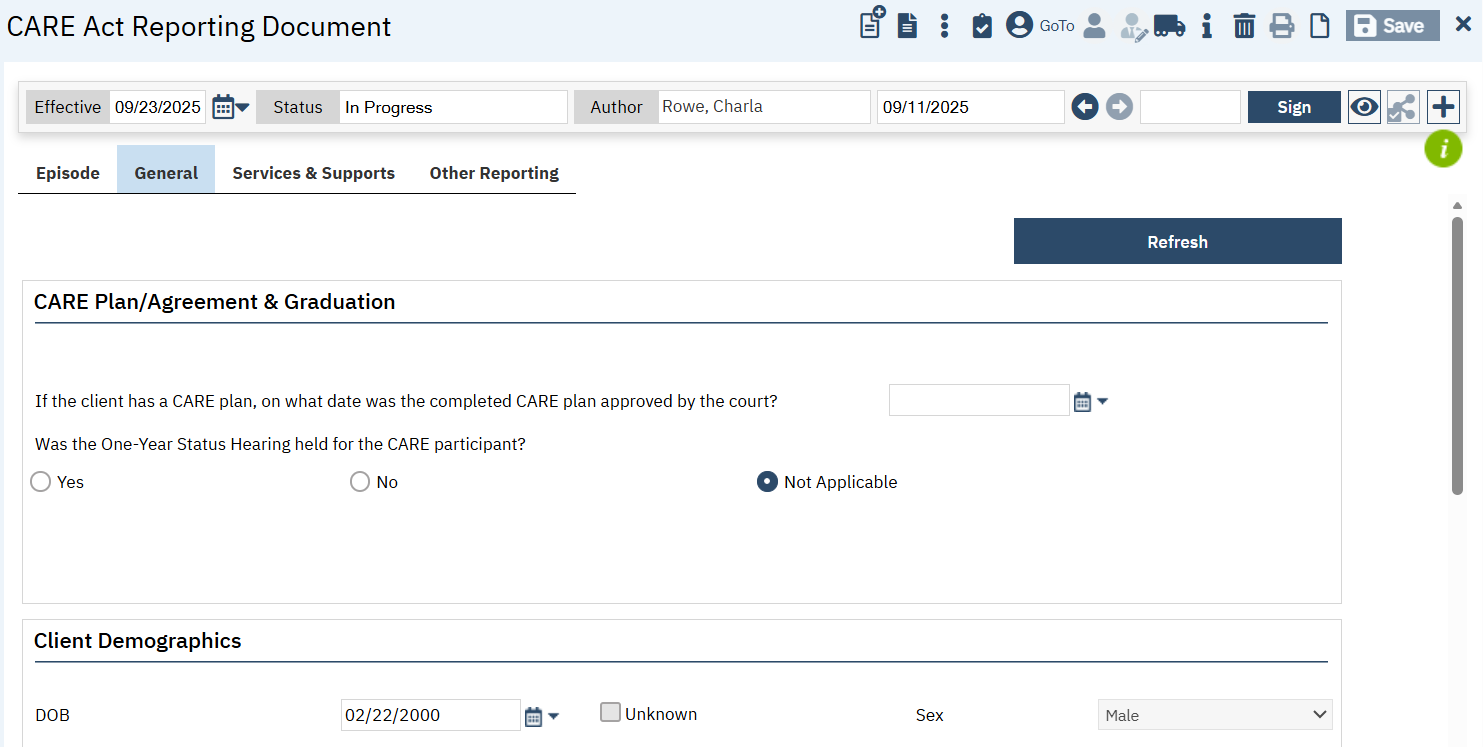
General Tab
This tab will be available for all CARE phases. It mainly focuses on client demographics. However, it also includes some questions regarding the CARE status, such as when the CARE Agreement was signed or when the CARE Plan was ordered, if those questions are applicable.
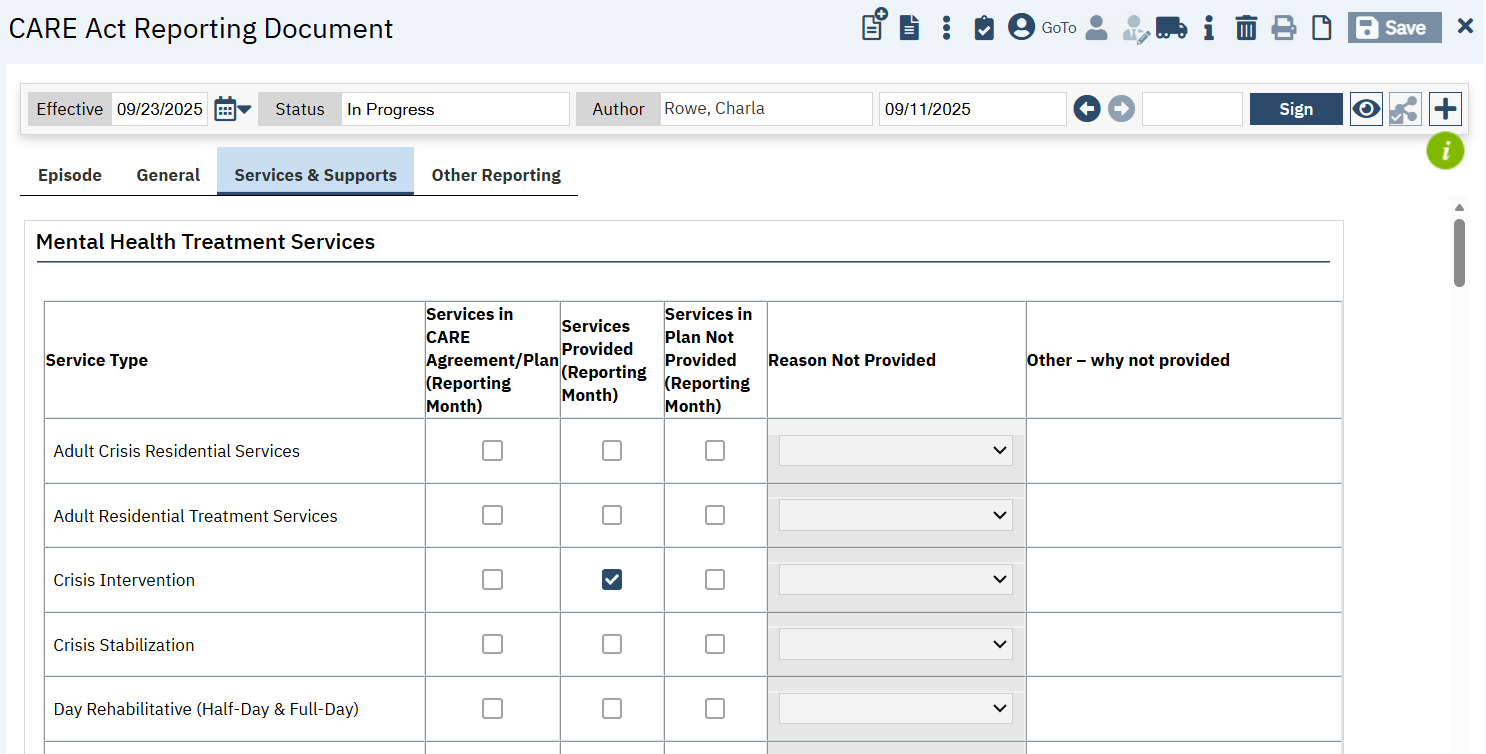
Services & Supports Tab
This tab is visible for the Active CARE Phase. This tab will take a while to load because the system is actively pulling data about services provided to the client in the reporting period and auto-populating what it can. It’s also pulling in data from the CARE Plan/Agreement document.
Even though the form is pulling in data from the system, the form may be incorrect or not up to date, based on the most recent data. For example, if you saw the client yesterday, but the service has not yet been marked “complete”, the system may not recognize it as a service for this tab. All of the fields will allow you to make changes to address these inconsistencies to ensure timely reporting.
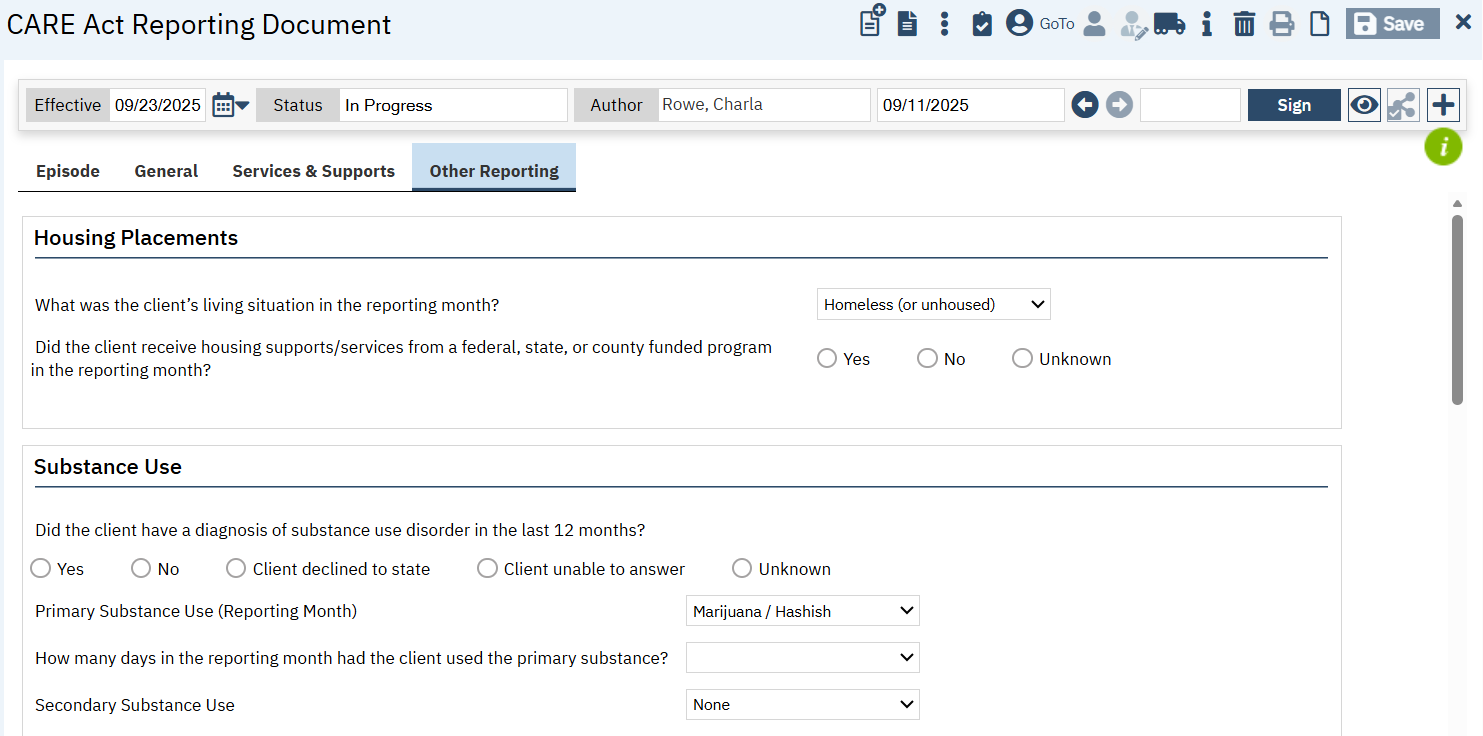
Other Reporting Tab
This tab is visible for multiple CARE Phases, but the questions will vary depending on the phase. This includes questions about housing, LPS involvement, substance use, jail involvement, and volunteer support involvement.
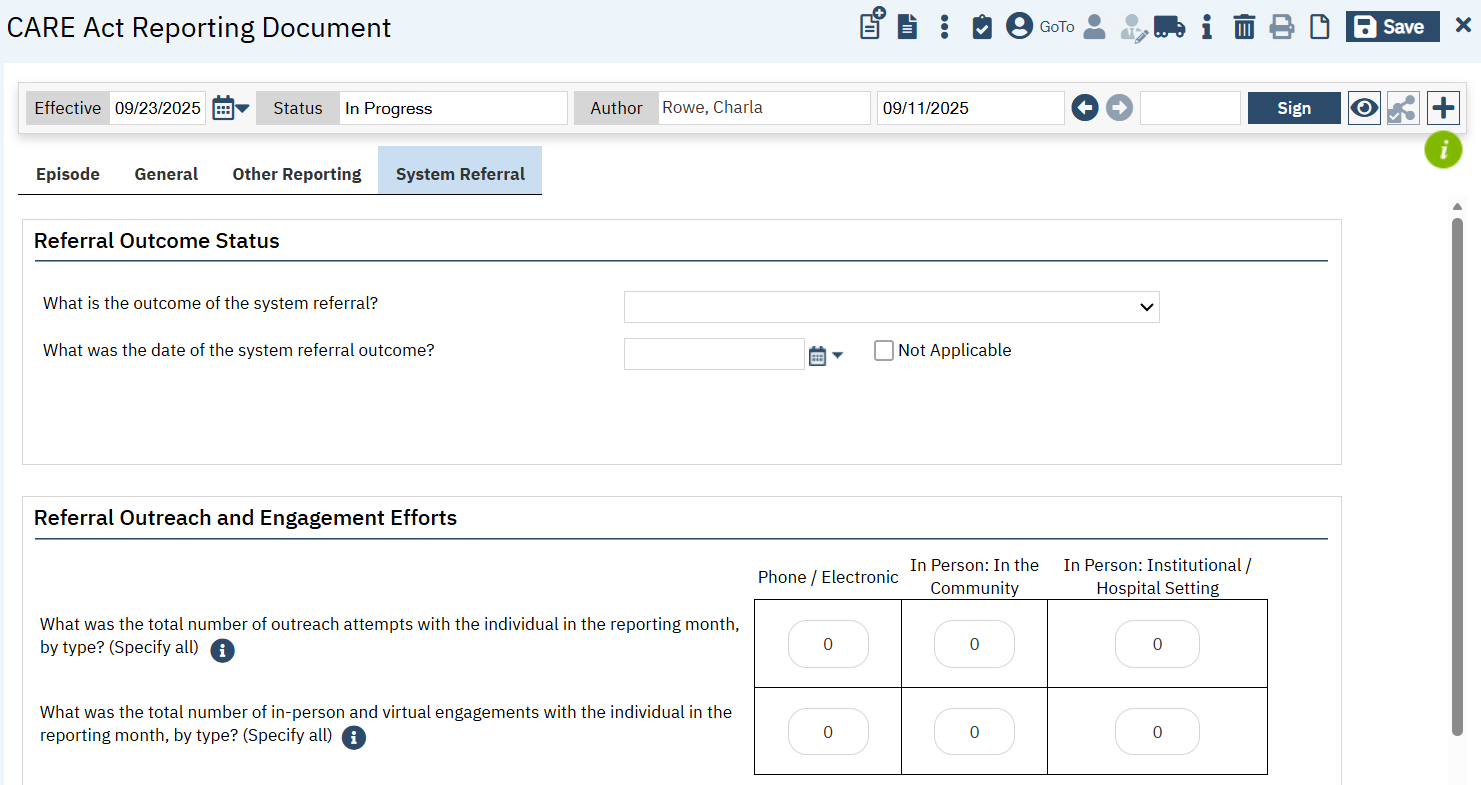
System Referral Tab
This tab is only visible when the CARE Phase is System Referral. It includes information about the outcome of the referral, outreach and engagement efforts, and services and supports provided during the referral period.
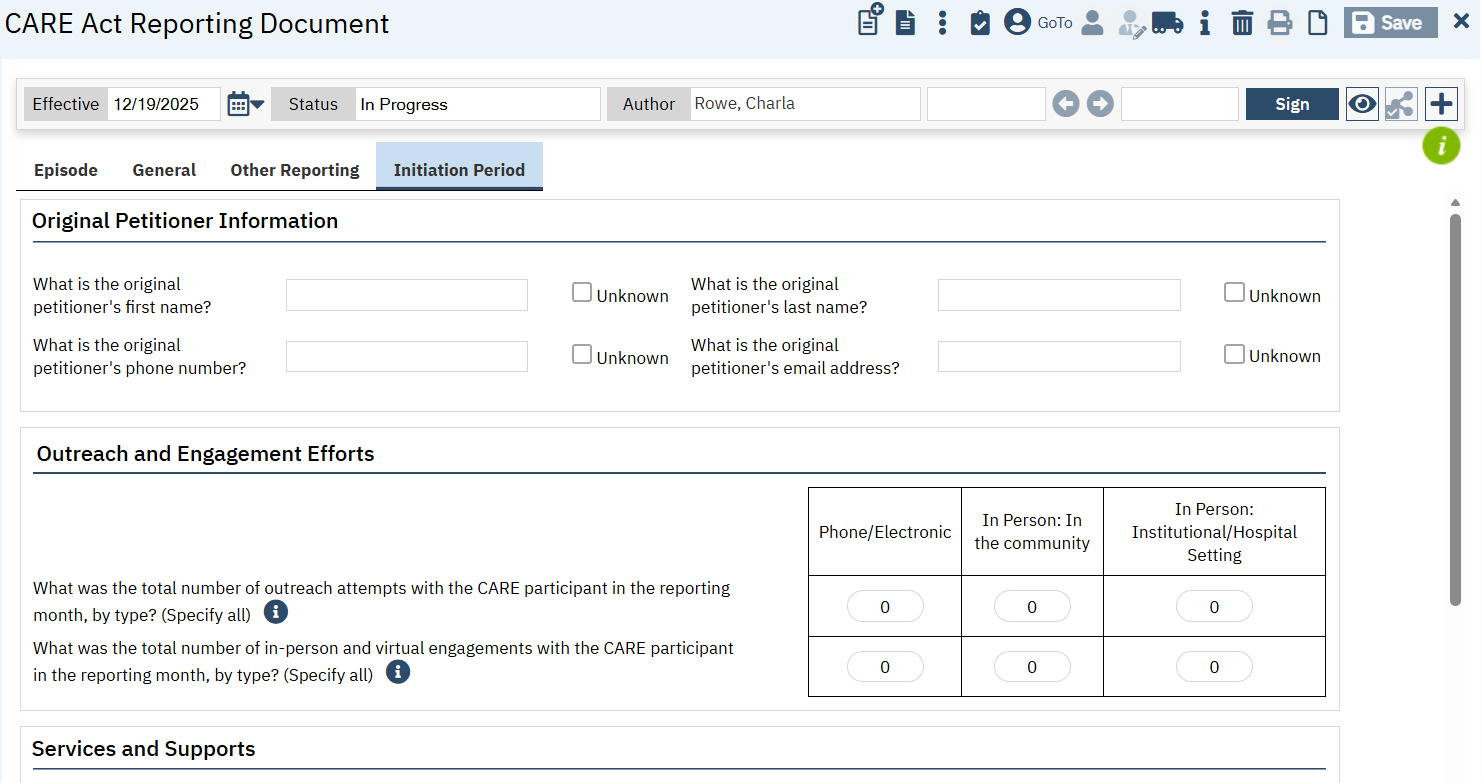
Initiation Period Tab
This tab is only visible when the CARE Phase is Initiation Period. This has information about the petitioner, outreach and engagement efforts, and services and supports provided during the initiation period.