How to Document a Detox Observation – Physical Check (Flow Sheets)
To document a physical check for detox observation, follow the steps below:
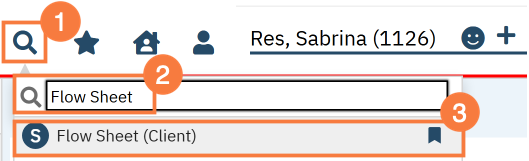
Click the Search icon, with a client open.
In the search bar, type Flow Sheet into the search bar.
Click to select Flow Sheets (Client).
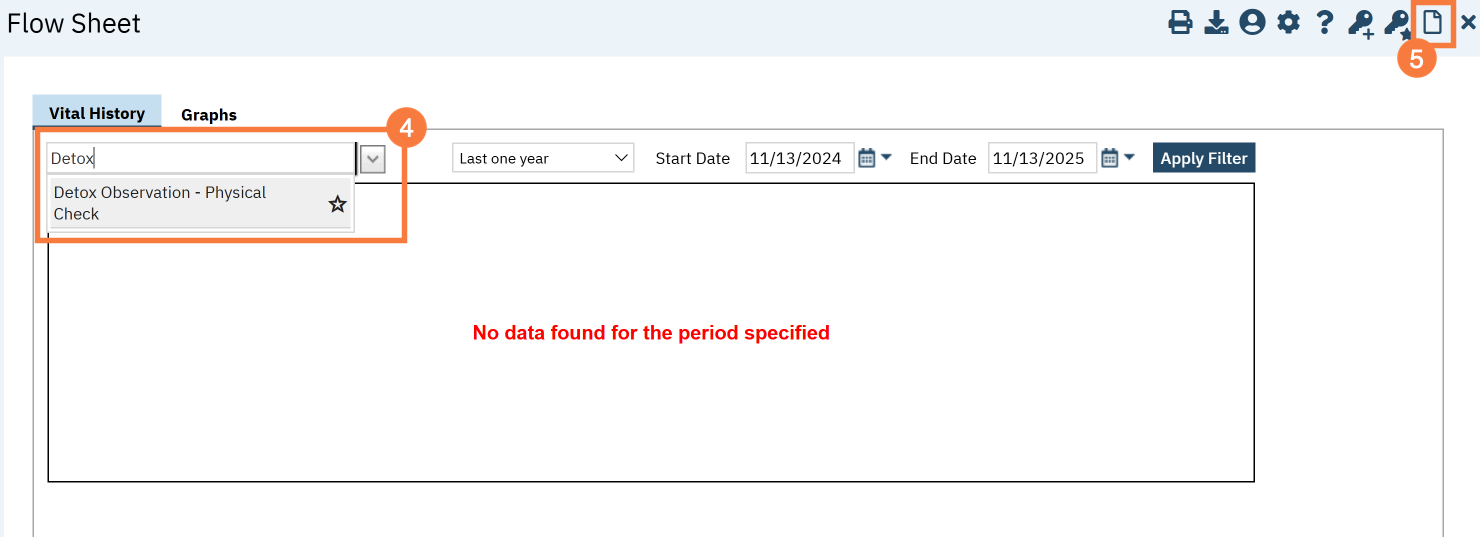
Once on the Flow Sheet page. Click the drop-down arrow in the Add Flow Sheet box and type Detox.
Click the Star icon to save as a favorite.
Click the New icon.
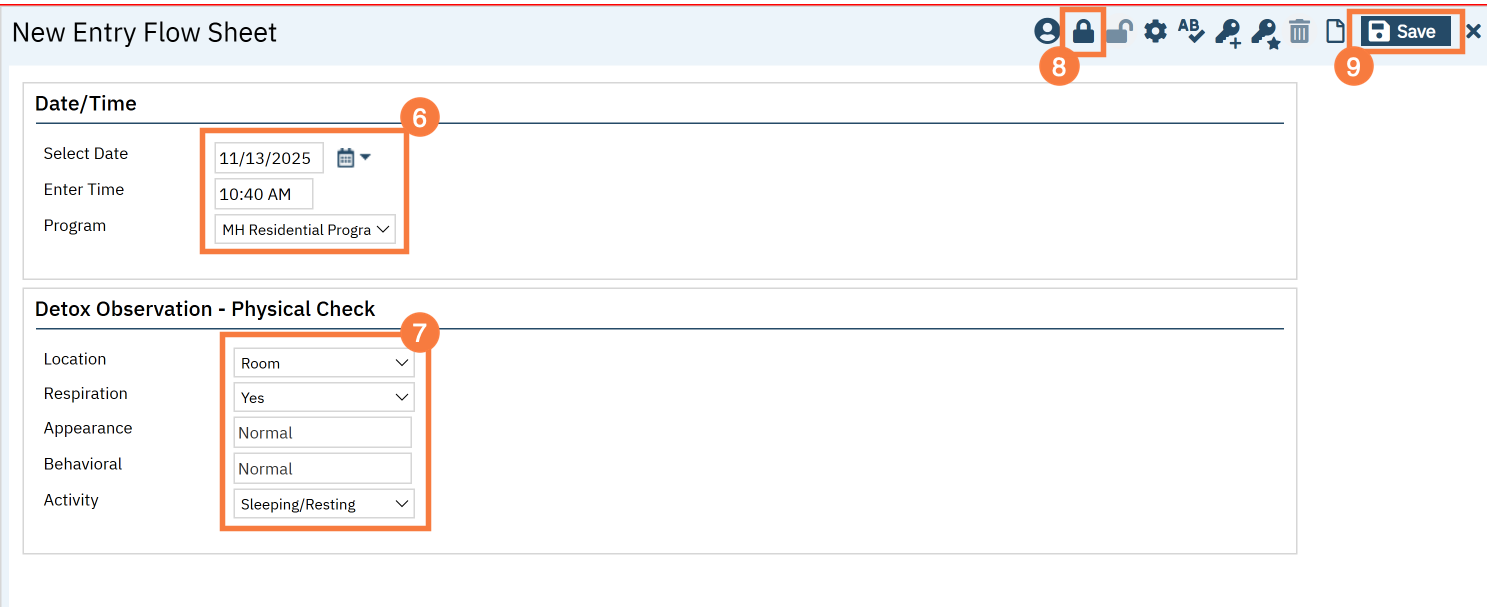
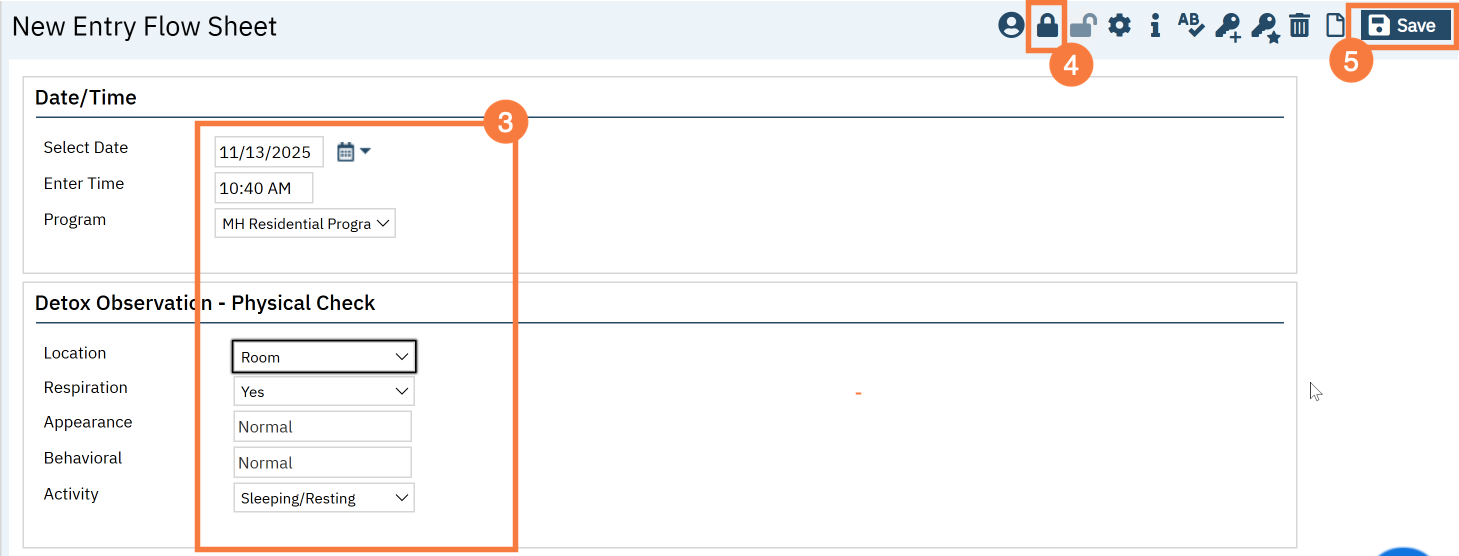
The New Flow Sheet Entry screen will open. The Date/Time section will be defaulted to the current date, time, and program will be defaulted. Adjust if needed.
Enter the following:
Location
Respiration
Appearance
Behavioral
Activity
Click the Lock icon to lock the screen and make it uneditable.
Click Save.
How to Edit an Existing Entry
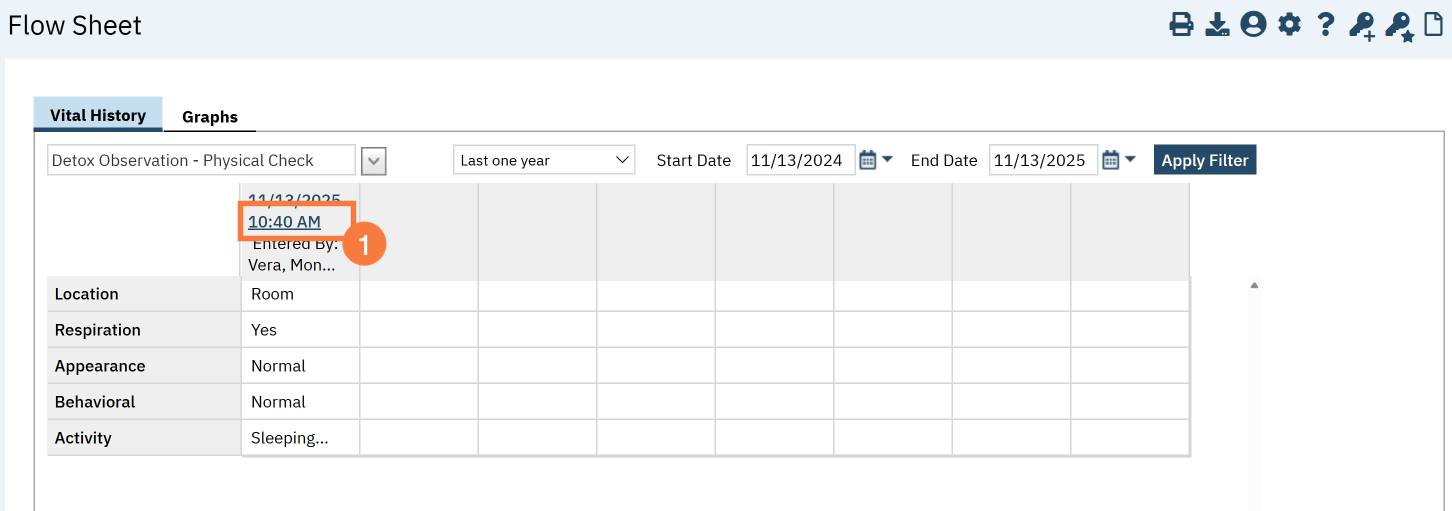
To edit an existing entry, follow the steps below:
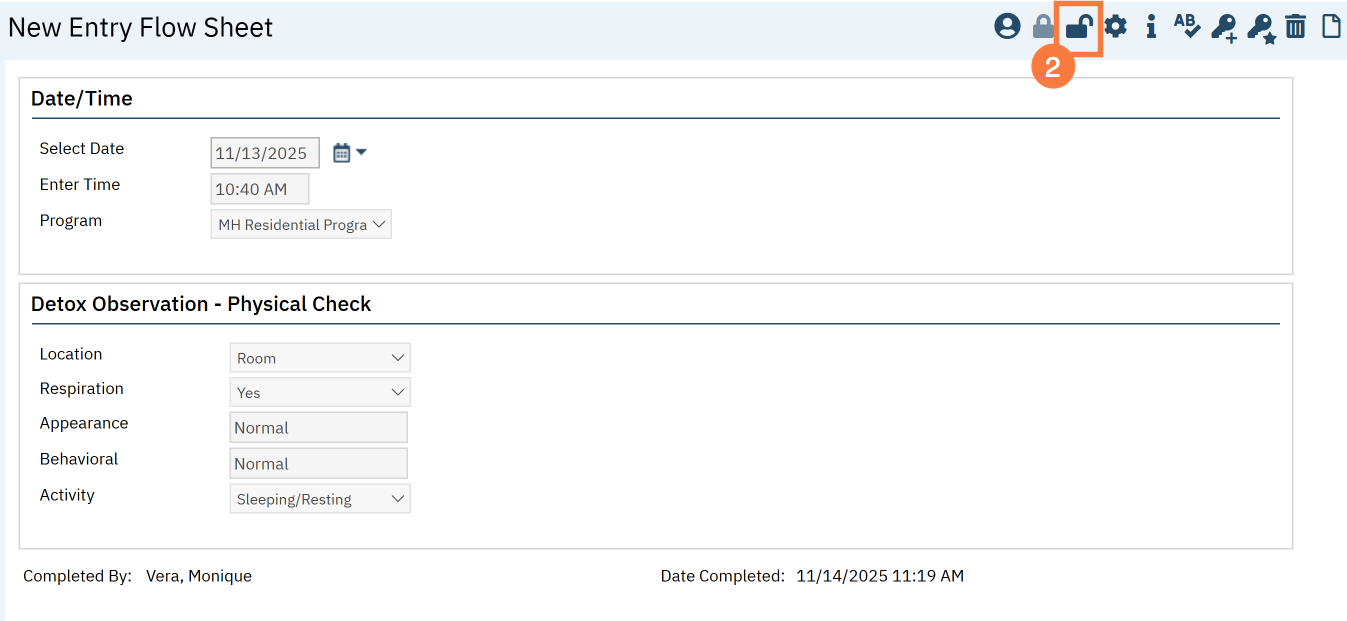
Click the Time hyperlink from the Flow Sheet grid.