June 3, 2025, DHCS published BHIN 25-020, which provided additional guidance for using the standardized Medi-Cal Mental Health Screening Tools. Included in this guidance was the ability for certain clinical staff to be able to override the recommended system of care based on the final score of the tool.
CalMHSA created a few proposed solutions and presented these to counties on July 16, 2025 at a county shared decision-making meeting. Counties agreed to solution number 2, which is described below.
Override Section
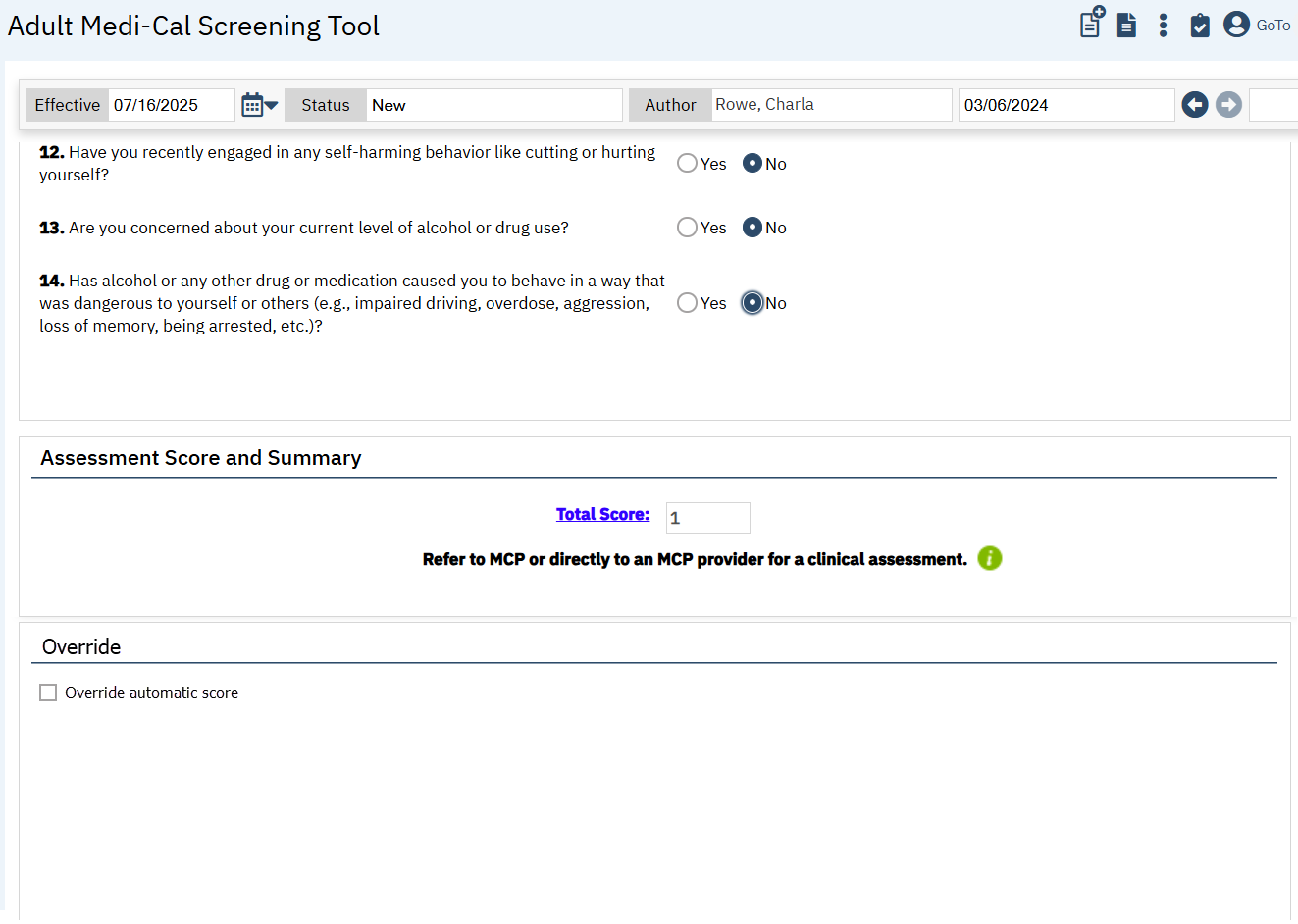
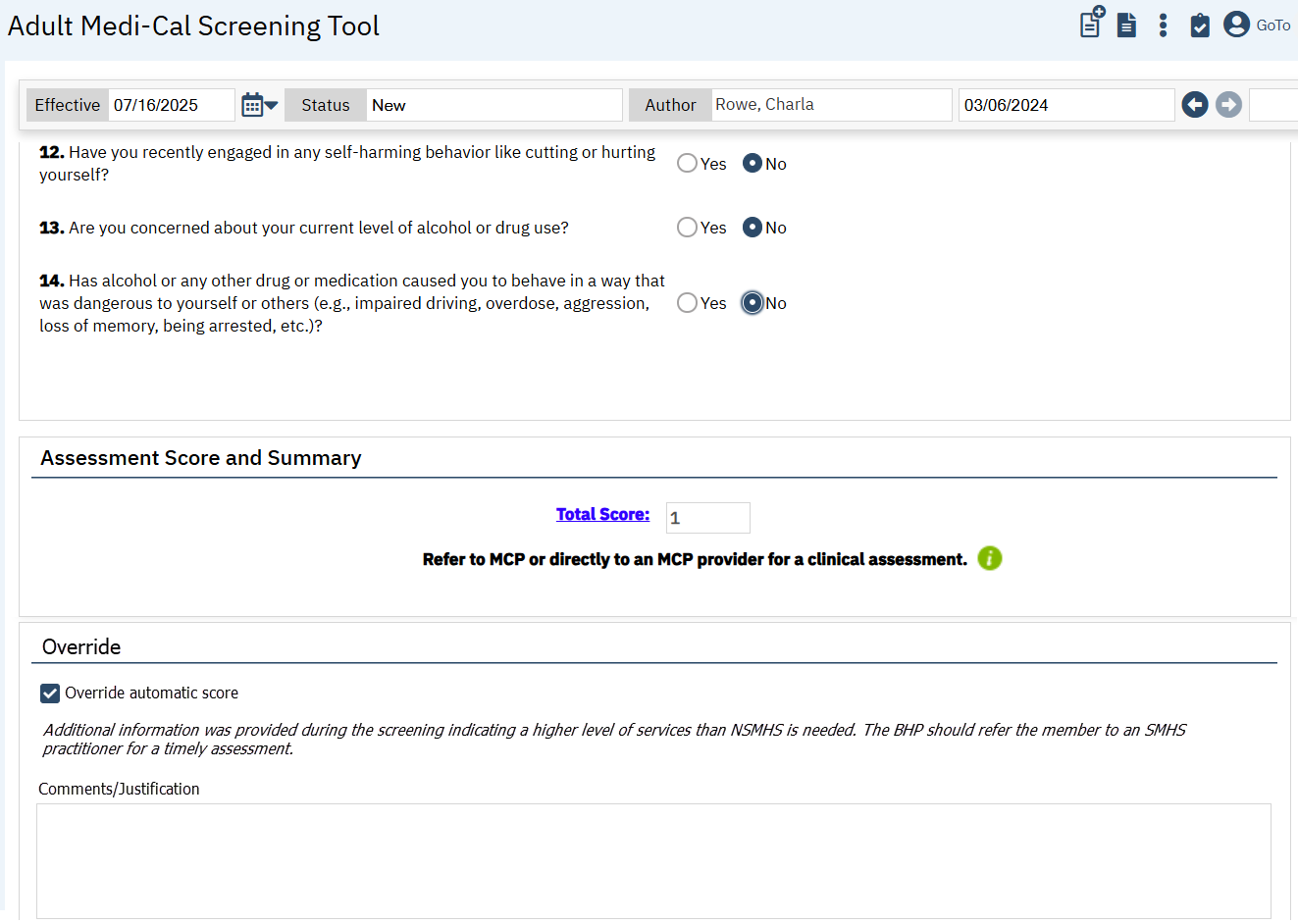
There is an override section to the bottom of both of the Medi-Cal Mental Health Screening Tools (both Adult and Youth versions). This section includes a checkbox that indicates that the user is overriding the score presented by the tool and referring to a different system of care. This checkbox is only be permissioned to the LPHA user role by default.* When this box is checked, automatic text will show, indicating that the user has opted to override the score generated by the tool. This text will be pulled from the BHIN language on page 11. The user will also be presented with a text field where they enter their justification for the override. This text field will be required anytime the override checkbox is checked.
DHCS has indicated that non-LPHAs should not give a completed screening to an LPHA to override the score. If the LPHA is doing the screening and they feel the scoring recommendation is incorrect, they can override that recommendation. If a non-LPHA is doing the screening, it’s outside of their scope of practice to determine if the screening recommendation is correct or not. By handing the screening to an LPHA to override, the non-LPHA is the person making the decision that the screening recommendation is incorrect, which is outside their clinical scope of practice. However, if the non-LPHA consults the LPHA during the screening, the LPHA can then override the score. The non-LPHA should change the author of the screening tool to the LPHA, so that the LPHA can finish the screening and make the necessary override.
CalMHSA 507 – Mental Health Medi-Cal Screening Tool Report includes information about whether a score was overridden, and what the result was.
*CalMHSA had planned to create an Add-On user role and create a script to add this user role to any staff user with certain licenses/degrees to match the BHIN list of license types. In the July 2025 meeting, counties argued against creating another user role. After discussion, CalMHSA agreed to only provide this to the LPHA user role. This means that not all license types listed in the BHIN as able to override the score would be given this permission automatically. An example is a Registered Nurse, who isn’t given the LPHA user role since they can’t diagnosis nor lead treatment. Counties felt this was an acceptable tradeoff to avoid getting another user role added to the system. If counties want to create their own user role, or add the override permissions to a user, the permission information is below:
Permission Type – Parent – Permission Item
Screen (New Mode) – Adult Medi-Cal Screening Tool – CheckBox_CustomDocumentAdultMediCalMHScreenings_ScoreOverride
Screen (Update Mode) – Adult Medi-Cal Screening Tool – CheckBox_CustomDocumentAdultMediCalMHScreenings_ScoreOverride
Screen (New Mode) – Youth Medi-Cal Screening Tool – CheckBox_CustomDocumentCalMHSAMHYouthScreeningTool_ScoreOverride
Screen (Update Mode) – Youth Medi-Cal Screening Tool – CheckBox_CustomDocumentCalMHSAMHYouthScreeningTool_ScoreOverride