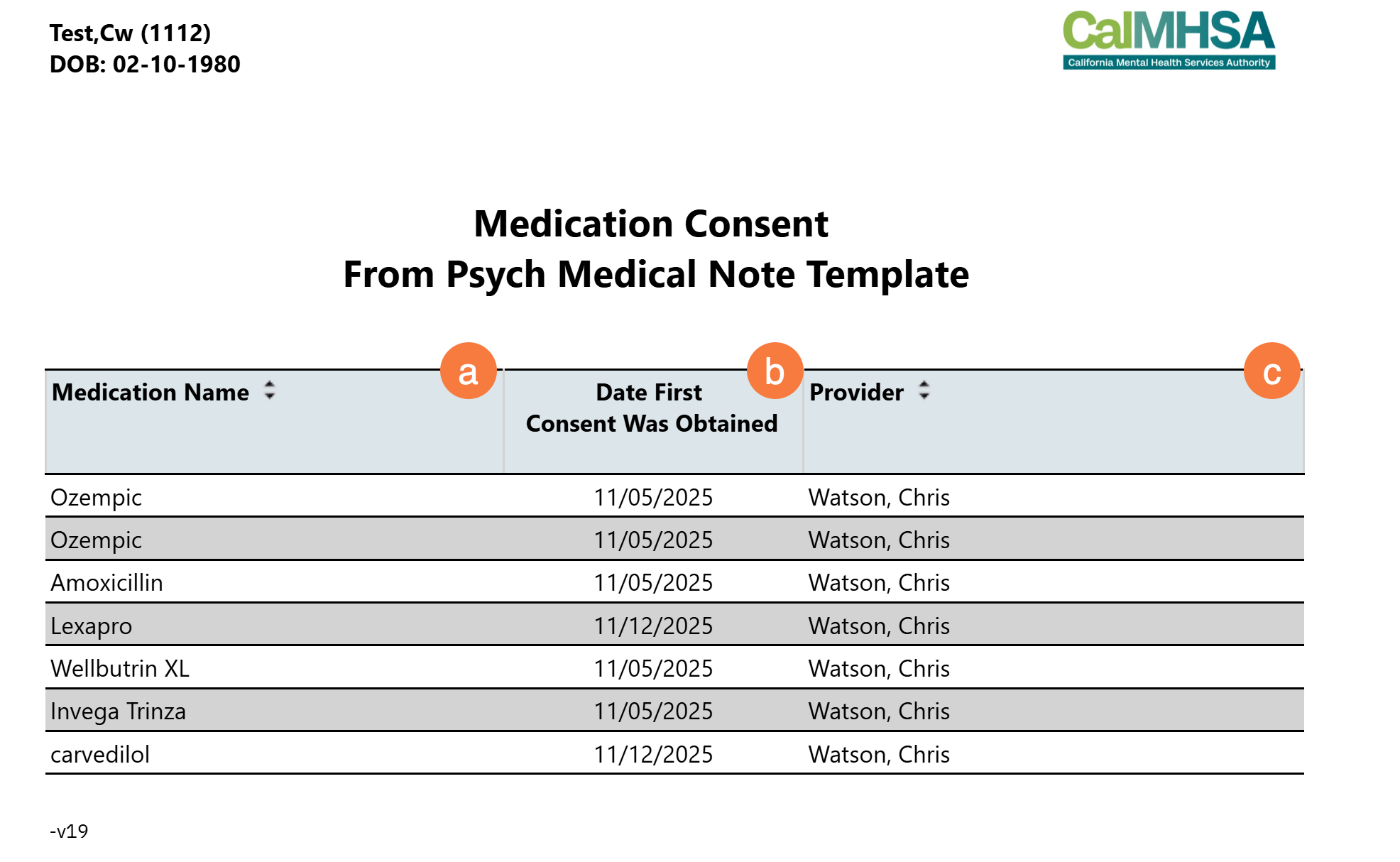
The purpose of this report is to be able to easily view any verbal medication consents captured in a service note that uses the Psych Medical Note template.
NOTE: This is report does NOT follow CDAG regulations since medications lists are excluded for patient safety reasons.
- The report data will be pushed when the author checkmarks that a medication consent has been obtained for a specific prescription in the Psych Medical Note template.
Use the link below to view instructions on how to use the Psych Medical Note template to capture verbal or written medication consents. Scroll down to Psych/Medical Note – Current Medications Section on that page to get specific details on how to check mark the consent.
To run this report:
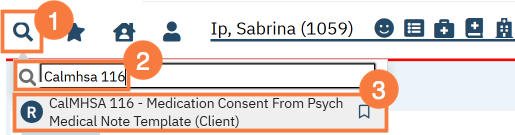
- With the client open, click the Search icon.
- Type CalMHSA 116 into the search bar.
- Click to select CalMHSA 116 – Medication Consent From Psych Medical Note Template.
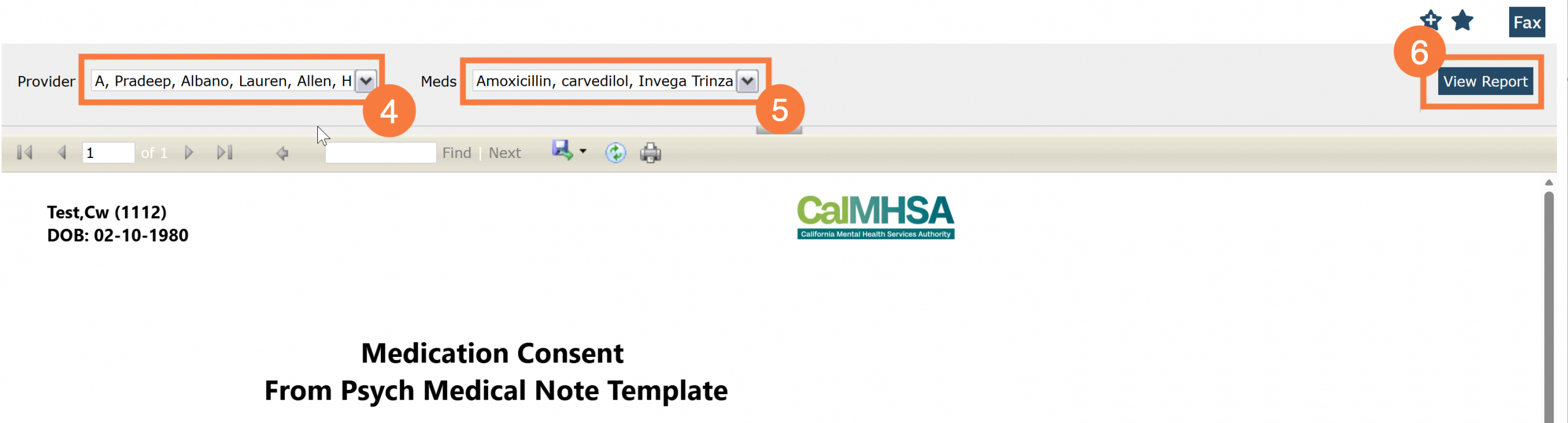
- The report view window open. click the Provider drop-down menu and you’ll be able to choose a provider, multiple providers, or all providers.”
- Click the Meds drop-down menu and you’ll be able to select one specific med, multiple specific meds, or all meds.
- Click View Report.
Report Columns
- Name of Drug: As listed the Psych Medical Note template.
- Date Consent was Obtained: The date the Medication Consent checkbox was marked in the Psych Medical Note template
- Provider: The author of the Service Note will be listed as the provider that obtained the medication consent