How to Setup the 837 to Default the D8 Format for Crisis Stabilization Procedures
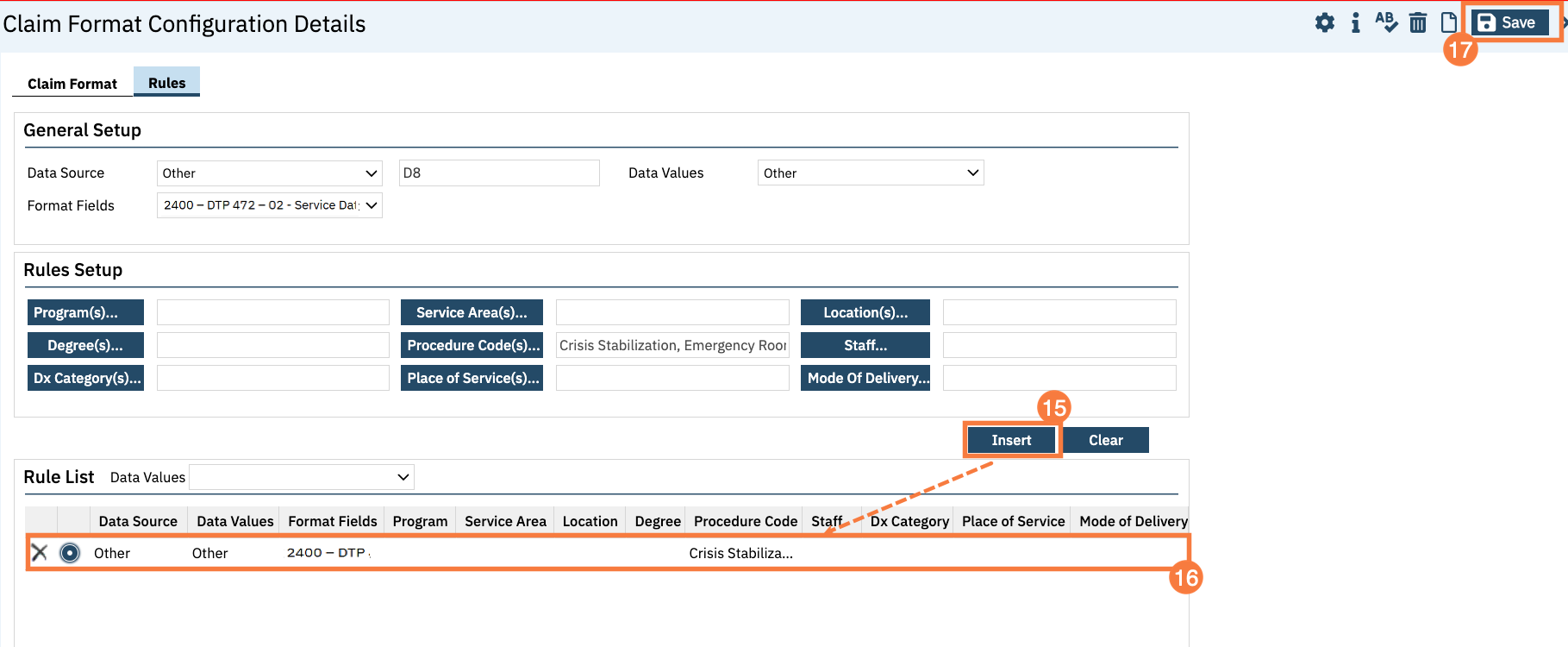
This article will walk through creating a Claim Format configuration to always send the D8 qualifier in the Loop 2400, segment DTP*472 for Crisis Stabilization procedures since the claim will be denied if the date format indicates the service spanned more than one day.
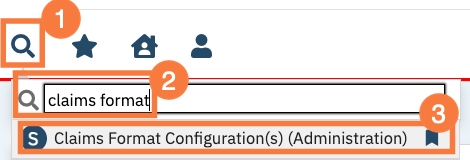
Click the Search icon.
Type Claims Format into the search bar.
Click to select Claims Format Configuration(s) (Administration).
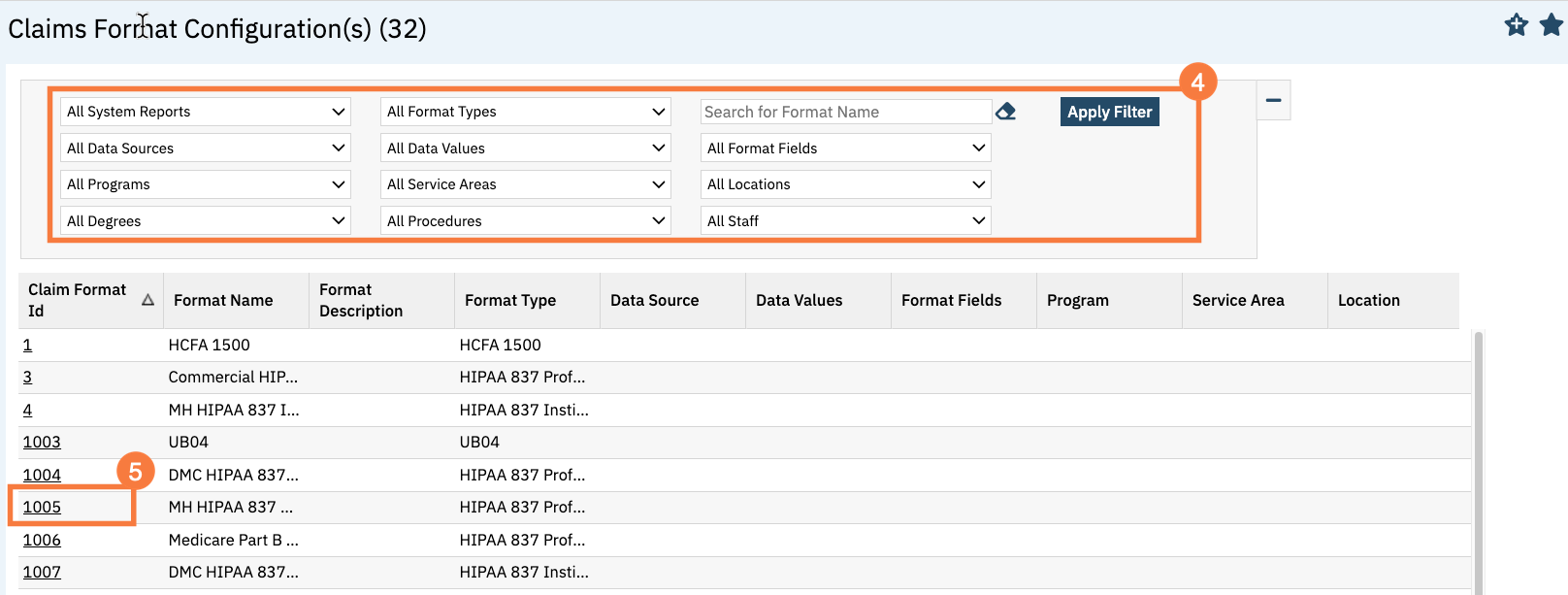
The Claim Format Configuration(s) screen will open.
Filter as appropriate if needed.
Click the Claim Format ID hyperlink for the MH HIPAA 837P Professional.
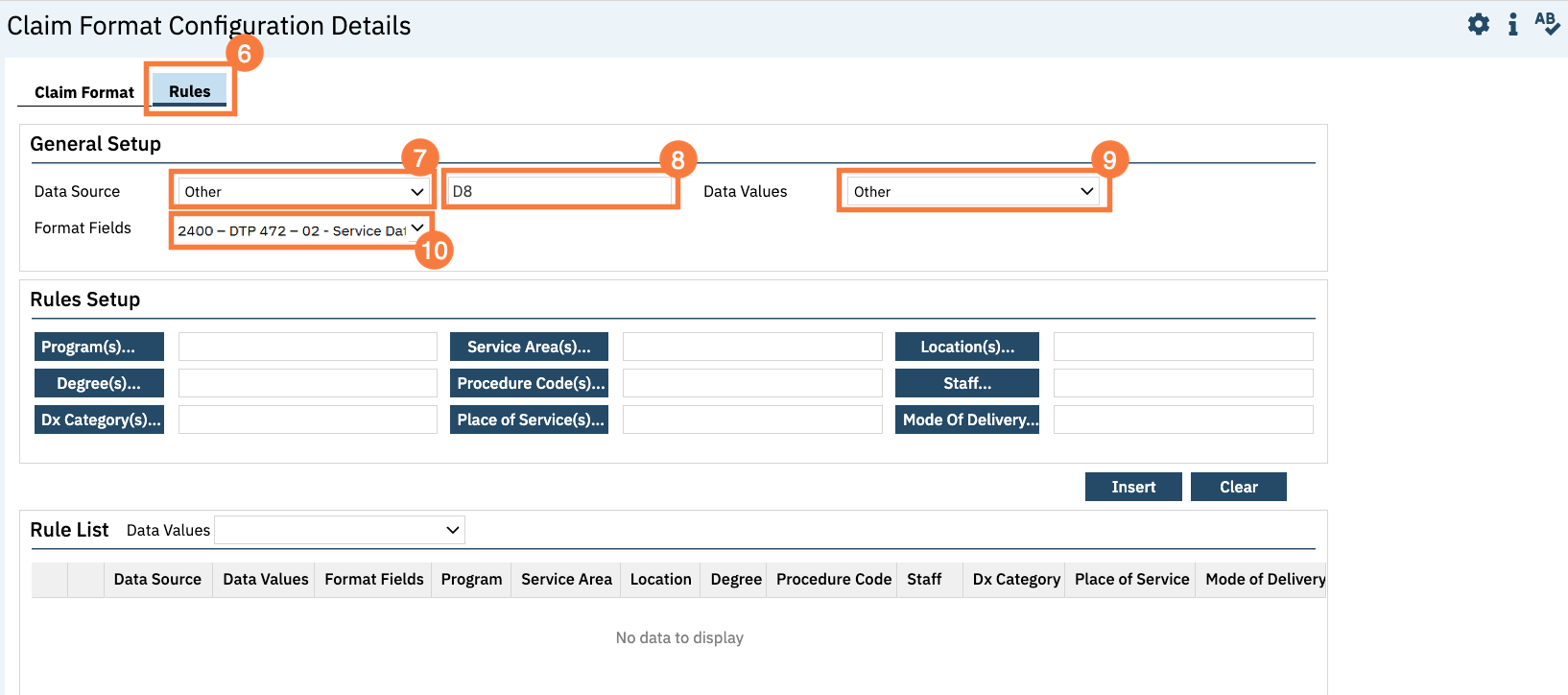
Click the Rules tab.
In the Data Source dropdown menu, select Other.
Enter “D8″ into the textbox to the right of the Data Source field.
This tells SmartCare to use the D8 format regardless of the date range associated with the service being billed.
In the Data Values dropdown menu and select Other.
In the Format Fields dropdown menu, select 2400 – DTP-472-02 – Service Date Format Qualifier.
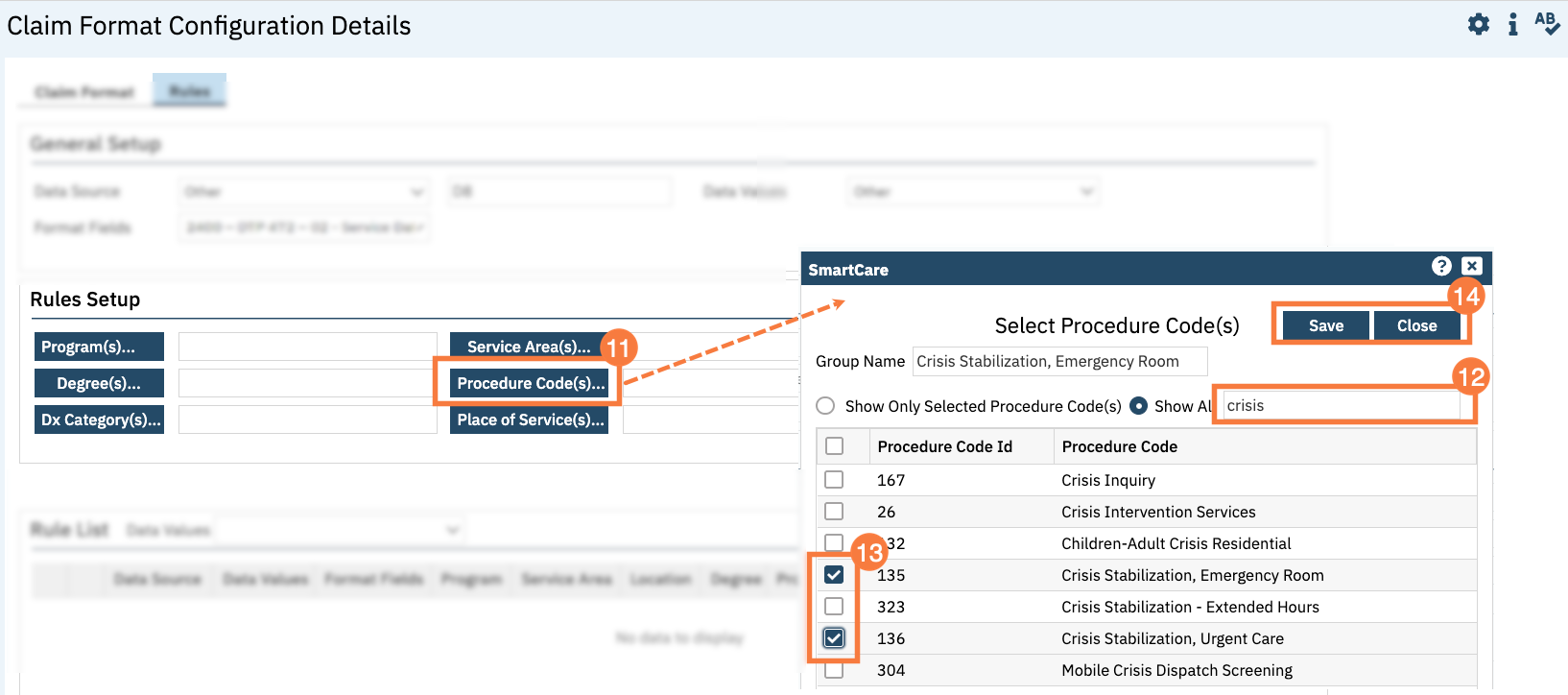
In the Rules Setup section, click the Procedure Code(s) button.
Type Crisis Stabilization to narrow down the procedure codes
In the Select Procedure Code(s) pop-up, click the checkboxes for the Crisis Stabilization procedure codes.